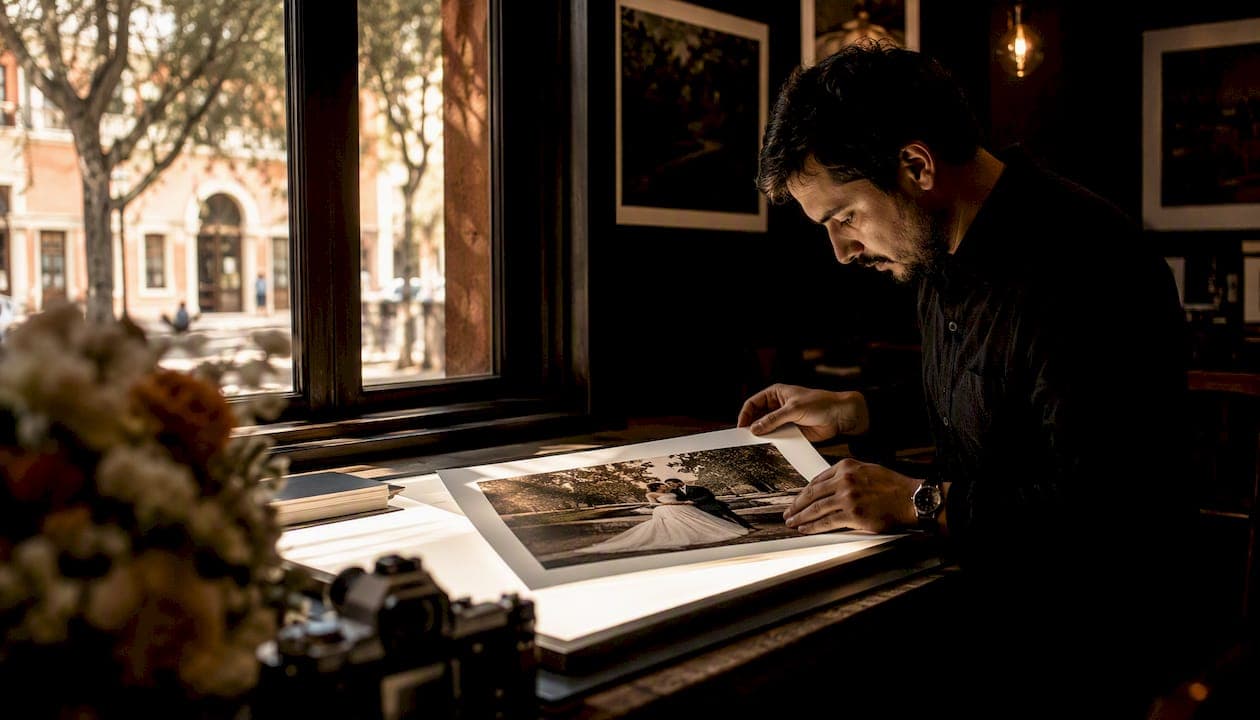
Fine art photo editing is a repeatable finishing process that harmonizes tone, color, and composition across every image in your wedding gallery so the final set feels cohesive, luminous, and ready to hang on a wall or fill an heirloom album. It is not a single filter or a trendy preset. It is a deliberate, image-by-image workflow applied after careful culling, and the result is a gallery where every frame, from the ceremony aisle to the last dance, reads as part of one visual story.
For couples and planners, the immediate payoff looks like this:
- Cohesive palette across every lighting scenario, from harsh midday sun to candlelit reception
- Natural, flattering skin that retains texture rather than looking airbrushed or plastic
- Stable highlights with no blown whites, so prints hold detail in veils, florals, and dresses
- Print-ready crops composed for wall art and album spreads, not just Instagram squares
Key Takeaways
Fine art photo editing is a repeatable, print-first finishing process that requires deliberate technique at every stage, from culling through hero retouching, to produce a gallery that reads as one cohesive visual story.
| Point | Details |
|---|---|
| Cull before you edit | AI tools like FilterPixel's DeepCull cut a 4,000-frame set to roughly 30–40% for review in about 60–90 minutes. |
| Two techniques, one complete retouch | Frequency separation evens skin tone; dodge & burn sculpts light — both are needed for polished hero portraits. |
| Gallery consistency is the standard | Color palette, skin treatment, and white balance should hold from the first ceremony frame to the last reception shot. |
| Red flags to watch for | Wildly shifting grades, plastic skin, or refusal to show a full gallery all suggest shortcut workflows. |
| Larsonprophotography's commitment | Next-morning sneak peeks, zone-based grading, and full hero retouching for San Antonio weddings and engagements. |
Table of Contents
- What fine art photo editing actually does to a wedding image
- Core editing techniques that create the fine art finish
- How a wedding gallery moves from cull to final delivery
- What a properly fine art edited gallery looks like
- Questions to ask a photographer before you book
- How Larsonprophotography delivers a fine art wedding gallery
- How to read before/after samples in a portfolio
- How fine art editing shapes the story your gallery tells
- Common pitfalls in fine art photo editing
- How fine art editing differs from other wedding styles
- A note on craft and process
- Larsonprophotography: fine art wedding photography in San Antonio
- Sources
What fine art photo editing actually does to a wedding image
The fine art approach is a curated, print-first discipline. Editing refines what was intentionally captured; it does not manufacture a look from scratch. In practice, that means tonal smoothing that lifts shadows gently, highlight rolloff that keeps whites from clipping, and a palette that leans toward soft, even hues rather than deep contrast.
What it intentionally avoids is just as telling:
- Heavy texture removal that leaves skin looking like porcelain
- Wildly inconsistent grades between the ceremony and reception sets
- Oversaturated colors that look vivid on a phone screen but fall apart in print
- One-click presets applied uniformly regardless of the lighting conditions in each frame
The fine art style smooths contrasts and evens whites to create a luminous, pastel-leaning rendering. It sits in a different category from moody editing, which leans into deep shadows and high contrast, and from realism, which aims for a neutral, documentary feel.
Pro Tip: Ask to see a full wedding gallery, not just a highlight reel. A highlight reel can be cherry-picked from one perfect lighting window. A full gallery shows whether the fine art grade holds across a church interior, an outdoor ceremony, and a dark reception hall.
Core editing techniques that create the fine art finish
Each technique solves a specific visual problem. Used together, they produce the layered, gallery-quality result that defines professional wedding editing standards.
| Technique | What it solves | Tool |
|---|---|---|
| Global tonal/color grade | Establishes the gallery palette; corrects cross-lighting inconsistency | Adobe Lightroom |
| Dodge & burn | Sculpts light, guides the viewer's eye, adds dimension to portraits | Adobe Photoshop |
| Frequency separation | Evens skin tone and removes blemishes while preserving natural texture | Adobe Photoshop |
| Selective local adjustments | Tones backgrounds, removes distractions, corrects exposure in specific zones | Lightroom/Photoshop |
Frequency separation and dodge & burn address different problems. Frequency separation evens tone and texture; dodge & burn sculpts light and restores dimension. Used alone, frequency separation can flatten skin. Dodge & burn alone cannot fix uneven tone. Together, they form a complete portrait retouch, which is why fine art photographers apply both on hero images.
How a wedding gallery moves from cull to final delivery
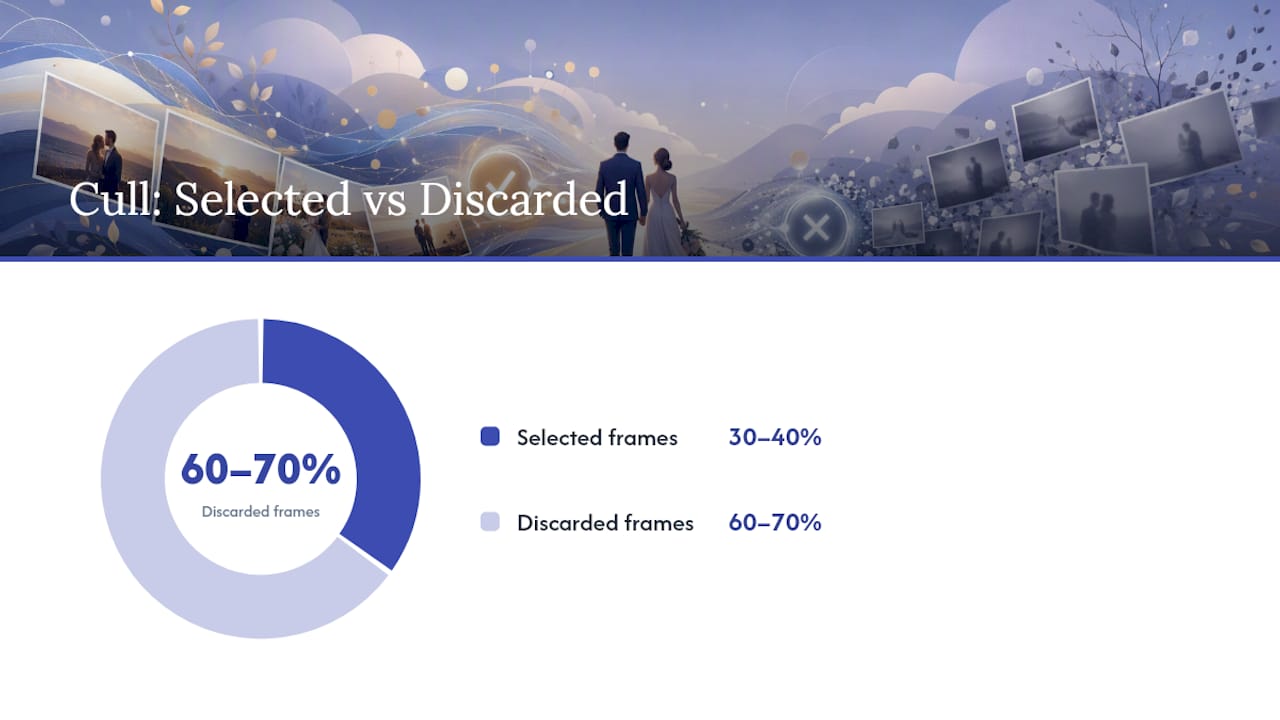
The workflow principle is simple: cull first, edit second. Editing frames you will ultimately cut wastes hours. A 4,000-frame wedding generates far more raw files than any couple needs, so selection happens before any grading begins.
AI-assisted culling vs. manual review:
- Tools like FilterPixel's DeepCull score each frame for eye sharpness, expression quality, and emotional peak, then surface the best frame from every cluster. A typical Auto-DeepCull run cuts the review set to roughly 30–40% of the original files and reduces a 4,000-frame cull to about 60–90 minutes including tagging.
- Manual culling in Adobe Lightroom gives the photographer full control but takes significantly longer, often three to five hours on a full wedding day.
- Most fine art photographers use AI culling for speed, then do a manual pass to confirm hero portrait selections before retouching begins.
After culling, edits are batched by lighting zone: outdoor ceremony, indoor ceremony, portraits in open shade, reception. A base grade is set for each zone in Lightroom, then synced across all frames in that group. Hero portraits receive deeper work in Photoshop. Documentary moments get the gallery-grade treatment but not the full frequency separation and dodge & burn pass.
Typical deliverable timeline:
- Sneak-peek gallery: next morning or within 48 hours
- Full edited gallery: varies by photographer, commonly 4–8 weeks
- Album shortlist: provided after full gallery delivery for client selection
What a properly fine art edited gallery looks like
Professional editing standards require the same quality applied from the first image to the last. Here is what that looks like in a delivered gallery:
Gallery-level signals:
- Consistent color palette whether the shot was taken at noon or midnight
- Natural skin tones that match across different photographers' lighting setups
- Whites that hold detail in veils and florals rather than blowing out
- Crops that work for both digital delivery and print
Image-level signals:
- Visible skin texture, not a smoothed-over surface
- Subtle light shaping on faces, not flat even exposure
- Clean backgrounds without distracting bright spots or clutter
Red flags to watch for: dramatically different grades inside one gallery, plastic-looking skin on close-up portraits, inconsistent white balance between indoor and outdoor frames, or a flat look that suggests a single preset was applied to every image regardless of lighting.
Questions to ask a photographer before you book
Knowing what to ask separates a photographer who talks about fine art editing from one who actually delivers it.
- "Can I see a full wedding gallery?" A confident answer is yes, immediately. Hesitation suggests the full set does not hold up.
- "Do you use frequency separation and dodge & burn on portraits?" A fine art photographer should name both without prompting.
- "How do you maintain color consistency across a full wedding day?" Listen for zone-based grading and Lightroom sync workflows.
- "Who does the retouching, you or an outsourced editor?" Either answer can be fine, but the photographer should know exactly who touches the images and to what standard.
- "Do you use AI culling tools like FilterPixel or DeepCull?" This signals workflow efficiency and faster sneak-peek delivery.
- "What is your revision policy?" A clear answer (number of revision rounds, scope of changes) indicates a professional process.
Red-flag answers: "I use the same preset on everything," refusal to show a full gallery, or vague answers about who handles retouching.
How Larsonprophotography delivers a fine art wedding gallery
Larsonprophotography follows a cull-first workflow, using genre-aware tools for faster, more consistent selection before any editing begins. Hero portraits, the first look, bridal portraits, and formal family frames, receive full frequency separation plus dodge & burn in Adobe Photoshop. Reception and documentary frames receive a gallery-grade Lightroom treatment: zone-based color grading synced across lighting groups for a cohesive palette throughout.
Retouching scope at Larsonprophotography:
| Image type | Retouching level | Primary tools |
|---|---|---|
| Hero portraits | Full: frequency separation + dodge & burn | Photoshop + Lightroom |
| Ceremony/documentary | Gallery-grade: global grade + local adjustments | Lightroom |
| Reception/detail | Gallery-grade: color sync + exposure correction | Lightroom |
Deliverable commitments:
- Sneak-peek gallery delivered the next morning after your wedding
- Full edited gallery within the agreed window, with album shortlist guidance
- Revision rounds available, with a clear policy discussed before booking
Where to find proof:
- Full wedding galleries and client work showing complete edits across varied lighting
- Before/after examples and planner referrals available on request
- Engagement session portfolio showing the fine art grade applied to portrait sessions
How to read before/after samples in a portfolio
Before/after images tell you more than a finished gallery alone. In a hero portrait, look for edge cleanup around the subject, tonal harmonizing that lifts the face without flattening skin, and preserved texture in hair and fabric. The after should feel like a refinement of the before, not a replacement.
In documentary frames, look for consistent grade across mixed lighting. A reception shot taken under warm tungsten and a ceremony shot in cool window light should feel like they belong to the same gallery after editing.
Inspection checklist for portfolio review:
- Does the skin in the after retain visible pores and texture?
- Are the whites in the dress or florals holding detail, not blown out?
- Does the background feel quieter without looking composited or fake?
- Do images from different parts of the day share a recognizable palette?
How fine art editing shapes the story your gallery tells
A wedding day spans twelve or more hours across multiple lighting environments. Without intentional editing, the gallery reads as a collection of separate moments. Fine art editing creates the thread that connects them. A consistent palette means the ceremony images and the reception images feel like chapters in one story rather than two different events shot by two different photographers.
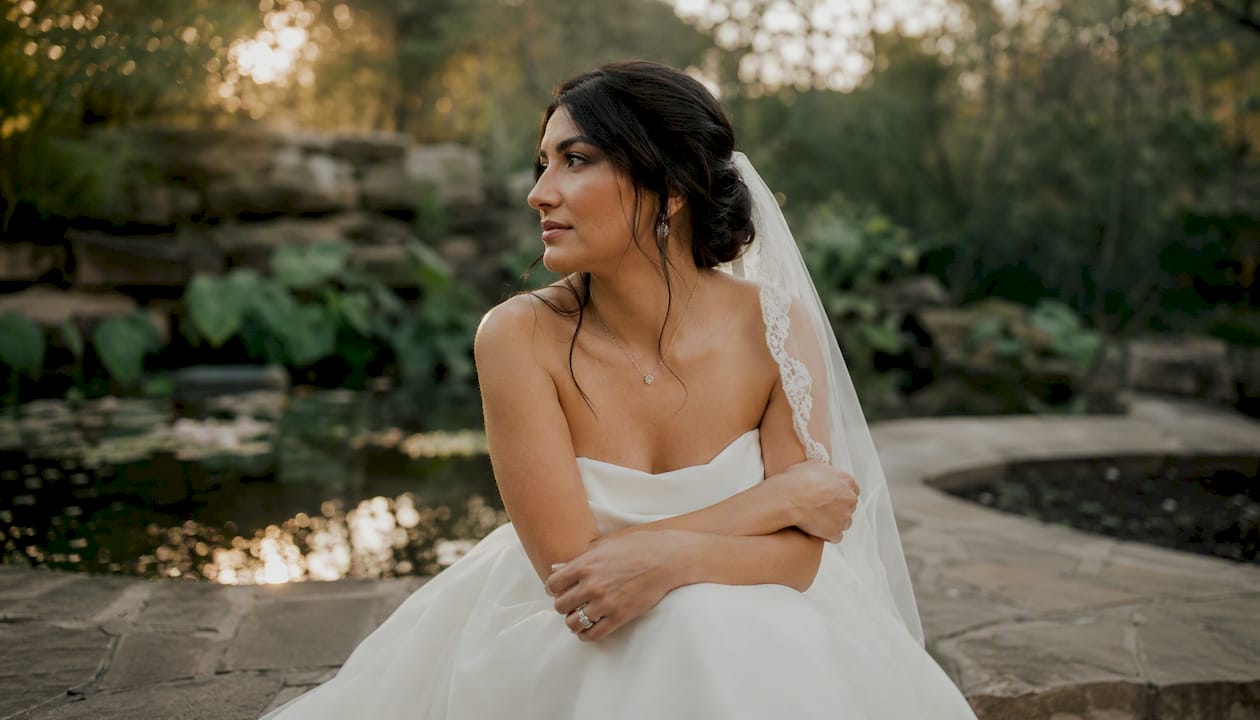
The emotional impact is specific to weddings: a soft, luminous grade on a first-look portrait draws the viewer into the moment rather than distracting them with technical noise. Careful dodge & burn on a parent's face during the ceremony keeps the viewer's eye on the expression, not the background. The painterly, compositionally clean approach that defines fine art portrait editing produces images that feel narrative-driven, the kind couples return to twenty years later.
Common pitfalls in fine art photo editing
The most frequent mistake is confusing a preset with a process. A preset establishes a starting point; fine art editing requires image-by-image decisions about where to lift shadows, how much to refine skin, and whether the background needs toning. Applying one preset uniformly produces a gallery that looks consistent in thumbnail view but falls apart at full resolution.
Over-retouching skin is the second most common problem. Frequency separation used too aggressively removes the texture that makes a portrait feel real. The goal is even tone with preserved texture, not a smoothed surface.
A third pitfall is neglecting gallery-level color consistency. Editing each image in isolation without syncing grades across lighting zones produces a gallery where the whites shift from warm to cool between sections, which couples notice immediately when they flip through the full set.
How fine art editing differs from other wedding styles
Traditional wedding editing aims for accurate, pleasing color with moderate contrast. It is reliable and flattering but does not pursue a specific visual voice. Photojournalistic editing stays close to what the camera captured, prioritizing authenticity over aesthetic refinement. Fine art editing sits in a different category: it pursues a deliberate, cohesive visual identity across the entire gallery, with color grading and selective retouching applied to serve a print-first, heirloom outcome.
The practical difference for couples: a fine art gallery is designed to be printed large and displayed. A photojournalistic gallery is designed to document. Both are valid; they serve different priorities.
A note on craft and process
Fine art editing is not something you apply after the fact to save a mediocre shoot. The in-camera decisions, light direction, background discipline, and composition, are what give the editing pass something real to work with. The edit refines; it does not rescue.
San Antonio couples and their planners deserve galleries that hold up in print, not just on a phone screen. My commitment at Larsonprophotography is to deliver that: a cull-first workflow, hero retouching that preserves what makes each portrait real, and a revision policy that keeps the process collaborative. If the gallery does not feel cohesive, we fix it.
Larsonprophotography: fine art wedding photography in San Antonio
Print-first galleries, next-morning sneak peeks, and hero retouching that holds up at 20x30 inches: that is the standard Larsonprophotography brings to every San Antonio wedding and engagement session.
View full wedding galleries and client work to see how the fine art grade holds across a complete wedding day, not just the highlights. Couples planning engagement sessions can explore edited portrait examples and booking details to confirm the style fits before committing to a wedding package. To check date availability and discuss your gallery expectations, reach out directly through the contact form and get a response within one business day.
Sources
- How to Cull Wedding Photos: The Complete Workflow for Photographers
- Fine Art Wedding Photography | Retouching Labs
- What professional wedding photo editing looks like — quality standards in 2026 | ShootPro24 Blog