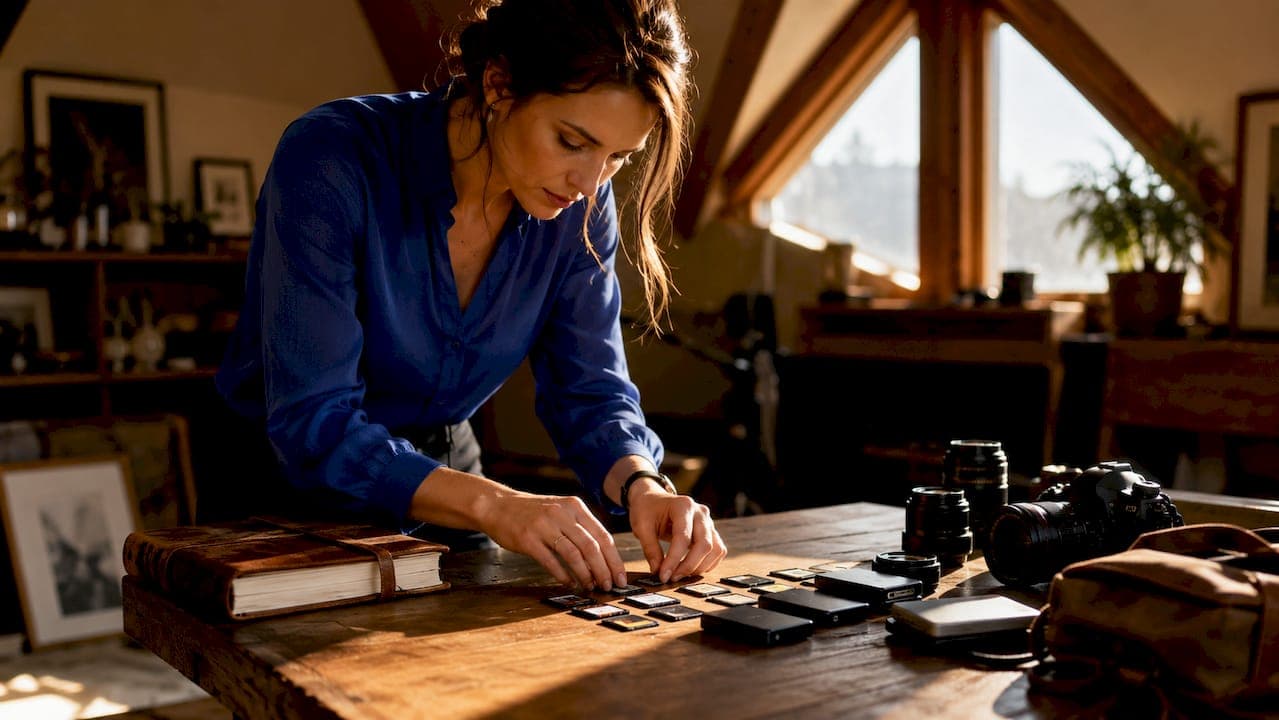
The wedding day photo backup process is a systematic approach to protecting your images through multiple copies stored across different media and locations, starting the moment your photographer presses the shutter. A single hard drive failure, a stolen camera bag, or an expired online gallery can erase every image from your wedding day permanently. The industry-standard 3-2-1 backup rule is the most recommended strategy for lasting photo preservation: maintain 3 copies on 2 different media types with 1 offsite copy. Tools like Lexar SSDs, Amazon Photos, and Backblaze make this level of protection achievable for both professional photographers and couples managing their own archives.
What are the essential tools for backing up wedding photos?
The right storage hardware is the foundation of any reliable wedding photography backup. Your options fall into two categories: local physical storage and cloud-based storage. Using both together is what separates a secure archive from a gamble.
Local storage options
Local storage includes laptops, external hard drives, and solid-state drives (SSDs). External hard drives are the most common starting point. External drives cost $50–$80, making professional-grade storage an achievable investment for most couples. SSDs like those in the Lexar Professional Workflow Go series are faster and more durable than traditional spinning drives, which matters when you are copying thousands of RAW files after a long wedding day.

Memory cards are the first storage layer your photographer uses. A 128GB high-performance SDXC card runs around $50 in 2026. That is a small price for the first line of defense on your wedding day.
Cloud storage options
Cloud services add the offsite copy that the 3-2-1 rule requires. Amazon Photos stores original-quality images with unlimited photo storage for Prime members. Backblaze offers automated offsite backups starting at about $9/month for unlimited personal data. That automation matters because it removes human error from the equation entirely.
| Storage Type | Pros | Cons | Estimated Cost |
|---|---|---|---|
| External hard drive | High capacity, affordable | Mechanical failure risk | $50–$80 |
| SSD (e.g., Lexar) | Fast, durable | Higher cost per GB | $80–$150 |
| Amazon Photos | Original quality, unlimited for Prime | Requires internet access | Free with Prime |
| Backblaze | Automated, continuous, offsite | Subscription required | ~$9/month |
| USB flash drive | Portable, cheap | Low capacity, easy to lose | $10–$20 |
Pro Tip: Never store your only backup on the same device as your working files. If your laptop fails, you lose both copies at once.
Using different storage formats creates redundancy. A fire destroys physical drives. A ransomware attack can lock cloud accounts. Combining both types means no single event wipes out everything.
How do professional photographers manage on-site backup?
Professional backup begins immediately on-site with multilayered copies before leaving the venue, reducing risk from hardware failure or loss during transport. This is the part most couples never see, but it is the most critical window in the entire process.
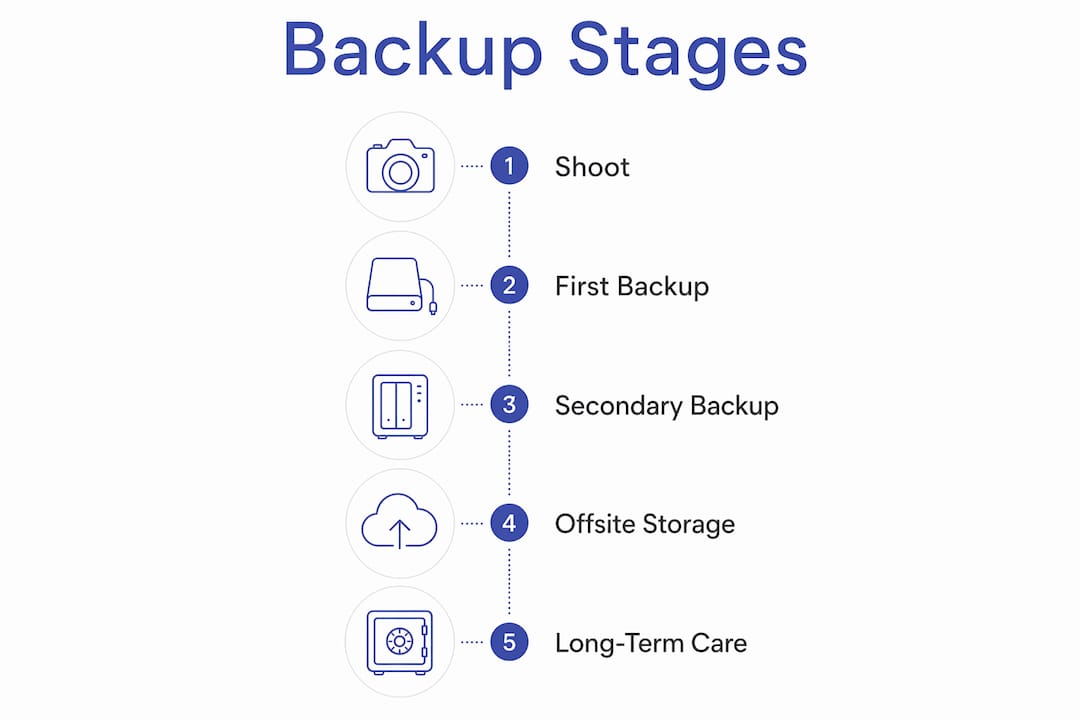
Here is the step-by-step workflow professionals use on the wedding day:
- Shoot to dual cards simultaneously. High-performance dual card cameras capturing simultaneously create an instant primary backup on the camera itself. This is the first layer of data security, built into the shoot.
- Back up after the ceremony. Photographers perform three on-site backups during the wedding: after the ceremony, before the reception, and before leaving the venue. The first transfer happens during cocktail hour when the photographer has a natural break.
- Transfer to a portable SSD. Tools like the Lexar Professional Workflow Go allow fast, on-location transfers directly from memory cards to an SSD without needing a laptop.
- Apply the Split Storage rule. Professional photographers use the Split Storage rule, keeping memory cards on their person and SSDs in a separate bag. If one bag is lost or stolen, the other copy survives.
- Complete the final backup before leaving the venue. No photographer should leave the location without confirming that at least two physical copies exist on separate devices.
- Upload to cloud storage the same night. The offsite copy goes up before the photographer sleeps. This closes the window where a car break-in or hotel theft could destroy both local copies.
Pro Tip: Ask your photographer directly: "Do you shoot to dual cards, and when do you make your first backup on the wedding day?" A confident, specific answer tells you everything about their professionalism.
This workflow is not overcautious. It reflects the reality that memory cards fail, bags get stolen, and hard drives get dropped. Every step in this sequence exists because something, somewhere, has gone wrong for a photographer who skipped it.
How can couples manage their own wedding photo backups?
Your photographer handles the backup process on the wedding day itself. Your job starts when the gallery arrives. Most couples treat the delivery email as the finish line. It is actually the starting gun.
The most common mistake couples make is relying solely on online galleries as a permanent archive. That approach jeopardizes image security because ownership of originals on personal hardware remains critical. Here is how to manage your side of the process correctly:
- Download originals immediately. Online wedding galleries are often temporary and may expire between 30 and 90 days. Missing that window can mean losing access to original-quality images permanently. Download the full resolution files the day the gallery arrives.
- Apply the 3-2-1 rule yourself. Copy your downloaded files to an external hard drive, a second drive or USB, and a cloud service like Amazon Photos or Google Photos set to original quality.
- Organize your folders clearly. A clean folder structure improves findability and long-term usability. Name folders by event segment: "Ceremony," "Cocktail Hour," "Reception," "Portraits." Add the date to the top-level folder name so you can find everything in seconds ten years from now.
- Set a calendar reminder for gallery expiry. Check your photographer's delivery email for the gallery expiration date and set a reminder two weeks before it closes.
- Verify your backups actually work. Open files from each backup location every six months. A corrupted drive that you never checked is no backup at all.
- Avoid single-platform dependence. Storing everything only on iCloud or only on Google Photos is one account suspension away from disaster. Diversify across at least two platforms and one physical drive.
The wedding photography checklist for 2026 covers this download and organization process in detail, including what file formats to request from your photographer before the wedding day.
What are the best long-term storage practices for wedding photos?
Preserving wedding photos for decades requires more than a one-time download. Storage media degrades. Cloud services change their pricing or shut down. The goal is a system that survives all of that.
Keep at least one offsite physical copy. A fireproof safe or a safety deposit box at your bank protects against house fires and floods. This is the physical version of the offsite copy in the 3-2-1 rule. It costs almost nothing beyond the drive itself.
Refresh your storage media every five to seven years. Hard drives have a finite lifespan. Copy your archive to new drives on a regular schedule, just as you would update any other important document. SSDs generally outlast spinning drives, but neither lasts forever.
Print your favorite images. Printed wedding photos serve as important physical backups that complement digital archives. Physical prints preserve memories against digital failure and provide tangible keepsakes that no server outage can touch. A printed album in a fireproof box is one of the most durable archives you can create.
Understand the risks of temporary galleries. Many photographers use platforms like Pixieset or ShootProof, which offer galleries with expiration dates. These platforms are delivery tools, not permanent storage. Once the gallery closes, the photographer is not obligated to re-deliver files. You own the responsibility for your own archive after delivery.
"Owning your originals on personal hardware is the only guarantee of permanent access. Every other storage method is a convenience layer on top of that foundation."
The professional approach to preserving wedding memories combines digital redundancy with physical prints and offsite copies, treating the archive as a living system rather than a one-time task. That mindset is what separates couples who still have their wedding photos in 30 years from those who do not.
Key takeaways
A reliable wedding day photo backup process requires multiple copies across physical and cloud storage, starting on the wedding day itself and maintained actively for decades.
| Point | Details |
|---|---|
| Apply the 3-2-1 rule | Keep 3 copies on 2 media types with 1 offsite copy to protect against any single failure. |
| Download originals fast | Online galleries expire in 30–90 days; download full-resolution files the day they arrive. |
| Ask your photographer | Confirm they shoot to dual cards and back up on-site before leaving the venue. |
| Organize and label folders | Name folders by event segment and date so files stay findable for decades. |
| Print physical copies | Printed albums and prints survive digital failures and provide a permanent tangible archive. |
What I have learned after years of photographing weddings
The couples who lose wedding photos almost never lose them to a dramatic event. They lose them quietly. A gallery expires while they are busy with a newborn. A laptop dies three years later and they realize the external drive was never actually set up. A cloud account gets suspended for inactivity.
The backup conversation is one I have with every couple before the wedding day. Most photographers do not bring it up. I think that is a mistake. You deserve to know exactly what happens to your images from the moment I press the shutter to the moment you download them. Transparency about the ethics of wedding photography includes being honest about data handling, not just artistic choices.
The single most overlooked step I see is the couple's own download. Photographers do their part. The gap happens after delivery. Set a reminder. Download everything. Copy it twice. Then print something. A physical album is not just sentimental. It is the most reliable backup format that exists.
Do not treat backup as an afterthought you will handle someday. Handle it the week your gallery arrives. Your future self, looking for those photos on your tenth anniversary, will be grateful you did.
— Todd
How Larsonprophotography protects your wedding memories
Larsonprophotography builds a professional backup workflow into every wedding we photograph in San Antonio. That means dual card shooting, on-site transfers, and cloud uploads before the night ends. Your images are never riding on a single memory card.

When you book with Larsonprophotography, you get full transparency about how your photos are handled from capture to delivery. The client resources page walks you through our delivery process, gallery access, and what we recommend for your own long-term archive. We do not just hand you a gallery link and disappear. We want your wedding photos to exist in 30 years, and we help you make that happen.
FAQ
What is the 3-2-1 backup rule for wedding photos?
The 3-2-1 rule means keeping 3 copies of your photos on 2 different media types with 1 copy stored offsite. This protects your images from hardware failure, theft, and physical disasters like fire or flooding.
How long do online wedding galleries stay active?
Most online wedding galleries expire between 30 and 90 days after delivery. Download your full-resolution originals immediately after receiving the gallery link to avoid losing permanent access.
Should I ask my photographer about their backup process?
Yes. Ask whether they shoot to dual memory cards simultaneously and when they make their first on-site backup during the wedding day. A specific, confident answer confirms they have a real system in place.
What cloud service is best for storing wedding photos long-term?
Amazon Photos offers unlimited original-quality photo storage for Prime members, making it one of the strongest options for couples. Backblaze provides automated continuous backup at about $9/month and works well as a secondary offsite layer.
Are printed wedding albums considered a backup?
Printed wedding photos and albums function as physical backups that complement digital archives. They are immune to server outages, account suspensions, and drive failures, making them one of the most durable preservation formats available.