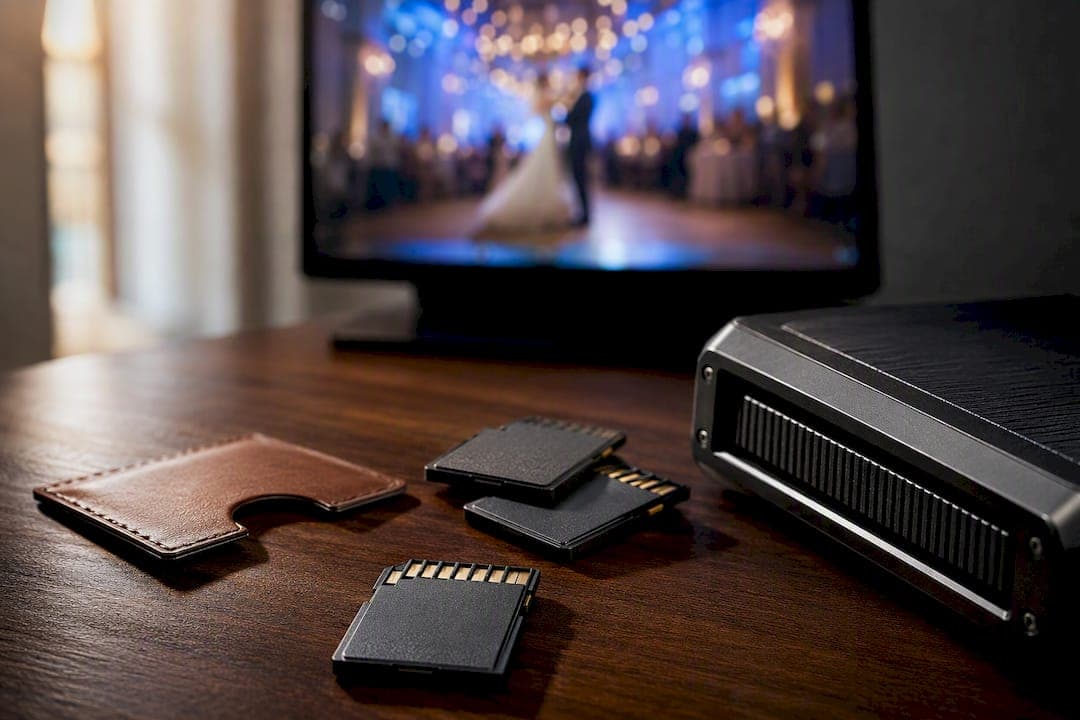
Raw wedding video footage is unedited camera files your videographer records on the day, straight off the memory card with no color correction, music, or trimming. Most couples don't need it. It's worth requesting mainly if you want a personal archive, plan a future re-edit, or crave the unpolished, camcorder-style nostalgia that's made waves online. For everyone else, the finished film already does the job raw files can't.
TL;DR:
- Raw wedding footage consists of unedited, high-resolution clips that can total hundreds of gigabytes, requiring significant storage and backup capacity.
- Raw files look dull and desaturated straight from the camera because they are designed for color grading and post-production adjustments.
- Requesting raw footage is most valuable if you plan to re-edit, create a long documentary, or preserve every moment for future use, despite storage and processing challenges.
- Many videographers treat raw footage as a paid add-on, with detailed contract terms needed to specify delivery format, organization, timeline, and licensing conditions.
- For most couples, a professionally edited film offers a compelling narrative, making raw footage unnecessary unless specific future editing or archival needs justify the extra effort.
Table of Contents
- What Raw Wedding Video Footage Actually Is
- How Raw Footage Differs From Your Finished Wedding Film
- Weighing the Value of Raw Files Against the Hassle
- Requesting Raw Footage: What to Put in Writing
- Handling Raw Files Once They Land on Your Drive
- How Larson Pro Photography Handles Raw Footage Requests
- An Honest Take on the Raw Footage Question
- Book a Wedding Film With Raw Footage as an Option
- Sources
What Raw Wedding Video Footage Actually Is
Raw footage is exactly what it sounds like: the camera's original clip files, recorded straight to the memory card with nothing added or removed. It's a collection of individual clips, not a single movie you can sit down and watch start to finish. A two-camera wedding shoot can easily generate hundreds of separate clips once you count ceremony angles, reception coverage, getting-ready shots, and B-roll.
Most professional videographers shoot in a log or flat color profile, which is why raw clips often look gray, dull, or oddly desaturated straight out of the camera. That's intentional. It preserves maximum detail for color grading later, but it means raw footage rarely looks like the wedding you remember until someone processes it.
You'll typically encounter these formats and considerations:
- MOV or MP4 containers wrapping codecs like H.265/HEVC for everyday cameras, or Apple ProRes for higher-end cinema cameras.
- Multi-camera setups doubling or tripling your total clip count and storage footprint.
- File sizes that add up fast, since a single 4K camera can produce 50 to 300+ gigabytes, and dual-camera shoots often clear 300 GB total.
How Raw Footage Differs From Your Finished Wedding Film
The gap between raw clips and a finished film comes down to everything an editor adds after the camera stops rolling. Color grading turns flat, gray log footage into the warm, cinematic look you actually picture when you imagine your wedding video. Audio gets mixed and cleaned so vows aren't buried under wind noise or a DJ testing speakers thirty feet away.
Editors also do a lot of quiet subtraction. They cut the ten minutes where the officiant fumbles the microphone, condense three repeated angles of the same toast into one clean cut, and trim the dead air while everyone waits for the photographer to finish. What's left is a narrative with pacing, built to hold attention for four to eight minutes instead of four to eight hours.
This is also why handing over raw export files confuses most clients who aren't expecting flat color and scattered clips. Log footage without grading can look worse than a phone video, even though it technically contains more information.
- Stabilization smooths handheld shots that would otherwise feel shaky on a big screen.
- Music syncing times emotional beats to the first dance or the ceremony kiss.
- Chronological sequencing turns scattered clips into a story with a beginning, middle, and end.
Pro Tip: If a videographer offers a "raw reel" as a bonus, ask if it's truly unedited or lightly color-corrected and reordered. Some vendors package a cleaned-up version and call it raw, which isn't the same as the original camera files.
Weighing the Value of Raw Files Against the Hassle
Raw footage earns its keep in specific situations and becomes dead weight in others. Before you ask for it, run through what you'd actually gain and what it will cost you in storage, time, and money.
- Archival completeness. You get every moment the camera captured, including candid reactions your edited film never used.
- Screengrab and photo backup. High-resolution frames can double as stills if your photographer missed a moment.
- Future re-edit potential. A 10th anniversary cut or a longer documentary version becomes possible years later.
- Storage burden. Multiple hundreds of gigabytes need a real backup plan, not just a folder on your laptop.
- Playback friction. Log-profile files can look unwatchable on a phone or an outdated media player.
- Privacy and context risk. Unedited clips can include awkward moments, private conversations, or people who didn't expect to be filmed.
Before requesting raw files, ask yourself: what's your actual goal, do you (or someone you know) have the technical setup to handle large video files, does the cost fit your budget, and do you have a real future-edit plan or just a vague "just in case"?
Requesting Raw Footage: What to Put in Writing
Ask your videographer directly whether raw footage is available at all, and whether it's bundled into a package or sold as an add-on. Many studios treat it as a paid extra because organizing, verifying, and transferring hundreds of gigabytes takes real time, on top of the editing work you're already paying for.
Once you know it's available, nail down the details in the contract rather than a verbal promise:
- Delivery format: MP4/H.264 for casual home viewing, or ProRes/MOV if you or a future editor need professional-grade files.
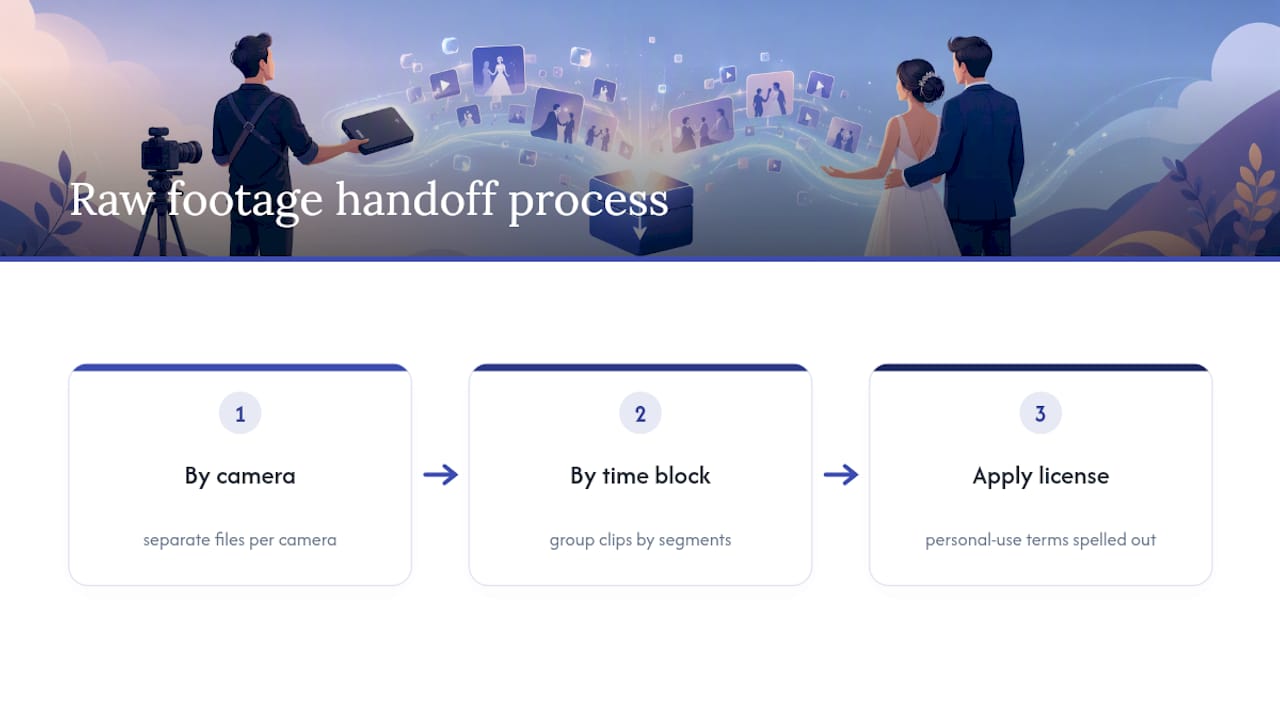
- File organization and labeling: folders sorted by camera, time block, or event segment, not one giant dump of clips.
- Transfer method: physical drive versus a cloud link, and if it's cloud, how long that link stays active before it expires.
- Delivery timeline: a specific date, not "when it's ready."
- Licensing terms: whether you're getting full ownership or a personal-use license while the studio retains copyright.
Handing over raw media has real value attached to it. Videographers typically keep copyright and grant a personal-use license rather than transferring full ownership, and studios often require the client to supply a drive or charge a transfer fee to cover that work.
Pricing usually falls into one of three models: a flat raw-footage fee added to your package, a per-camera charge if you shot with multiple angles, or a higher hourly shoot-only rate if you skip editing entirely. Whatever the number, make sure raw delivery is written to never delay your actual wedding film.
Handling Raw Files Once They Land on Your Drive
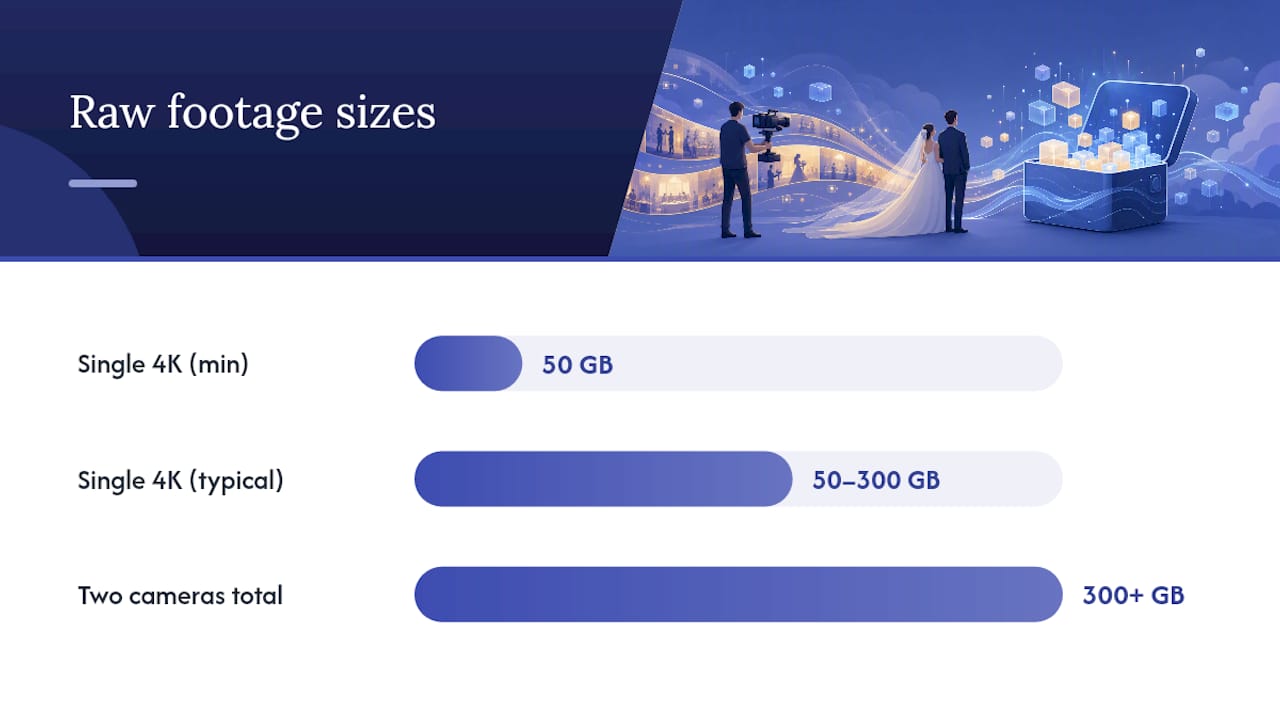
Plan your storage before the files arrive, not after your laptop fills up. A single 4K camera can produce 50 to 300+ gigabytes, and pairing two cameras easily pushes past 300 GB total, so a cloud photo backup plan won't cut it.
Buy or request delivery on an external SSD or HDD, and keep a second copy somewhere else entirely, whether that's a different drive or a cloud backup service. For everyday viewing, transcode a copy into MP4/H.264 so it plays smoothly on a phone or laptop, and leave the original master files untouched in archival storage.
- Use free tools like VLC or QuickTime for quick playback without installing editing software.
- Try DaVinci Resolve or Adobe Premiere Rush for basic trimming if you want to try light editing yourself.
- Name folders by date, camera number, and event segment so nothing gets lost two years from now.
- Consider basic video workflow habits recommended for organizing and exporting footage efficiently.
If you're planning a 10th anniversary cut or an extended documentary version down the line, that's the moment to hire an editor rather than attempting it yourself with consumer software.
How Larson Pro Photography Handles Raw Footage Requests
Todd, lead videographer at Larson Pro Photography, treats raw footage as a conversation that happens before the contract is signed, not an afterthought after delivery. Most couples booking a full wedding package receive their edited, cinematic film as the primary deliverable, with raw files available as a separate, clearly priced option for those who want an archive or plan to revisit the footage later.
When couples do request raw clips, files get organized by camera and time block before handoff, with licensing terms spelled out so everyone understands what a personal-use license covers. It's the same attention to detail you'll see across documentary-style coverage and cinematic wedding films in the portfolio, just applied to the unpolished side of the process.
An Honest Take on the Raw Footage Question
Most of the raw-footage advice floating around treats it as either essential insurance or a scam add-on. Neither is right. The real question isn't whether raw footage is good or bad, it's whether you have a specific use for it beyond "just in case."
If you genuinely want to build a longer documentary later, or you're the type who'll actually dig through footage on your 10th anniversary, pay for it and get the licensing terms in writing. If you're requesting raw files mainly out of a vague fear of missing something, save the money. A well-edited film built with thoughtful pacing and narrative structure will hold your attention decades from now in a way that 300 gigabytes of unsorted clips never will.
The conventional wisdom that "more footage means more memories" gets it backward. Unwatched raw files sitting on a drive you eventually lose track of preserve nothing. A finished film you actually rewatch every anniversary preserves everything that mattered.
— Todd
Book a Wedding Film With Raw Footage as an Option
If you want the finished cinematic film without giving up the option to archive the full day, Larson Pro Photography builds that flexibility into its wedding packages rather than treating it as an either-or decision. Every couple gets a professionally edited film as the core deliverable, with raw footage available as a clearly priced add-on and licensing terms spelled out in writing before you book.
Requesting a quote gets you a straight answer on what's included, what raw footage would cost on top of your package, and a realistic delivery timeline for both. Browse past client work to see how films come together, then reach out through the wedding services page to start the conversation about your date and coverage needs.
Sources
- Wedding Videographer Raw Footage: What You Actually Receive - Wedding Video Essex
- Beware of Raw Footage: The #1 Hidden Truth You Must Know - Humble Bee Wedding Videography
- Totalmedia
- Raw Footage Release Policy – Pixel Syndicate
- 90s camcorder film luxury wedding results stunning - Newsweek