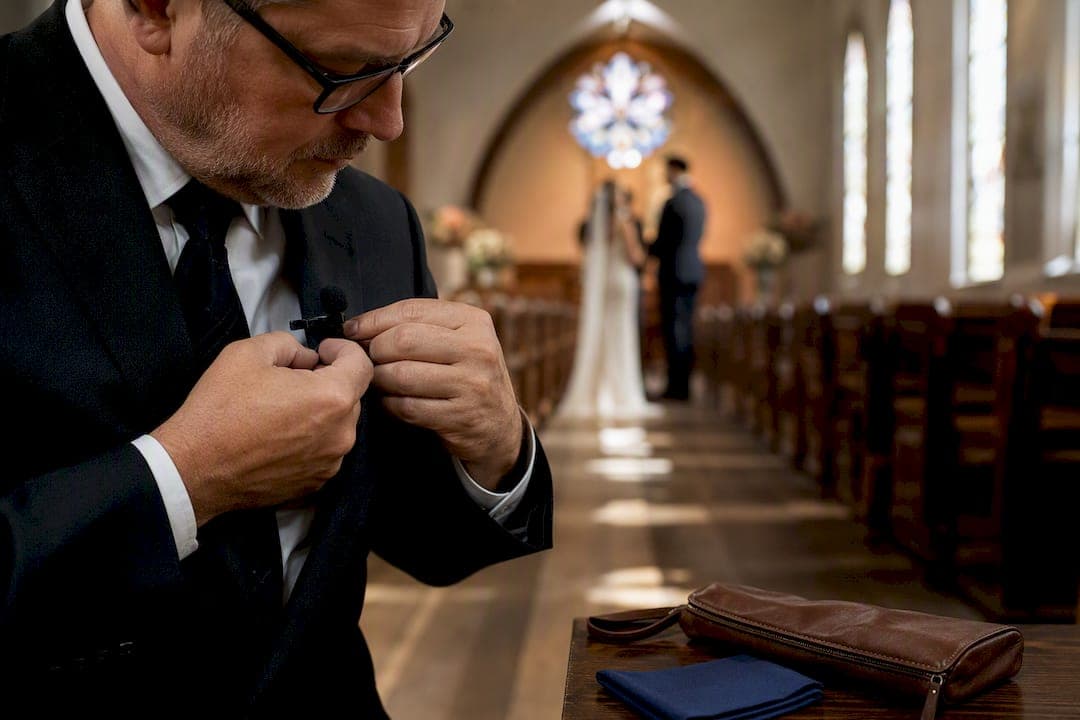
Reliable wedding vows audio comes down to four things: a lavalier microphone on the officiant (and ideally a second on the partner speaking last), a backup recording path that runs independently of your main system, a set of headphones so you actually monitor sound during the ceremony, and wind protection if you're outdoors. Record in 32-bit float whenever your gear supports it. Skip any one of these and you're gambling on the one moment in the wedding you cannot reshoot.
TL;DR:
- Redundancy is critical, including independent backup recorders, wind protection, and real-time monitoring to prevent audio failures during vows.
- Placing lavalier microphones a hand's width below the chin and securing them properly prevents muffling and rustling issues that compromise sound quality.
- Recording in 32-bit float format and at 48 kHz sample rate allows recovery of distorted or low-volume audio, but it must be paired with active monitoring and physically reliable backups.
- Confirming venue feed permissions and using a standby phone or recorder near the altar ensures reliable audio capture if main systems fail or are restricted.
- Proper planning and testing, such as a 15-second listening check and correct microphone placement, are more effective than high-end gear in securing clear vows.
Table of Contents
- Building A Ceremony Audio Kit That Won't Let You Down
- Your 30 Minute Pre-Ceremony Setup Sequence
- What To Do When Something Goes Wrong Mid-Ceremony
- Why 32-Bit Float Changes Your Recording Settings
- Where To Clip Lavaliers So They Don't Ruin The Take
- Getting Permission And A Feed From The Venue
- How Todd Runs Ceremony Audio On A Real Wedding Day
- Cleaning Up Vows Audio Without Ruining It
- Handling Background Noise Without Losing The Moment
- Matching Separate Audio And Video Without Guesswork
- Recording Vows Legally: What Couples And Videographers Should Know
- Writing And Delivering Vows That Record Well
- What Actually Matters Once You Strip Away The Gear Talk
- Let Larson Pro Photography Handle Your Ceremony Audio
- Where This Advice Comes From
- Sources
Building A Ceremony Audio Kit That Won't Let You Down
The gear list scales with the size of the job, but the logic stays the same at every level: one primary source, one independent backup, and a way to catch ambient sound if something fails.
For a solo shooter covering a small ceremony, the kit is lean. You need one or two wireless lavalier microphones (the officiant almost always gets one, and the second partner if the budget and gear allow), a receiver paired to your camera or recorder, and spare transmitter batteries you've actually tested that morning. Lavalier mics placed close to the speaker are the most reliable primary choice for vows, which is why they anchor every setup on this list, with shotgun mics playing a supporting role rather than carrying the ceremony alone.
For teams running more than one camera or covering a large venue, add a dedicated field recorder capable of 32-bit float and a second wireless path so a single RF dropout doesn't take out your whole audio chain. A shotgun mic, either mounted on your main camera or on a small stand near the altar, picks up ambient room tone and acts as a fallback if a lav fails mid-vow.
Round out the bag with:
- Foam windscreens for indoor use and furry "dead cat" covers for anything outdoors
- Adhesive mounting pads or micropore tape for securing lav capsules to fabric
- XLR to TRS or XLR to RCA adapters in case you get a house feed with an unfamiliar connector
- A reliable pair of closed-back headphones you can wear under a jacket without it showing
None of this needs to be expensive to be dependable. It needs to be redundant.
Your 30 Minute Pre-Ceremony Setup Sequence
Good vows audio is decided before the processional starts, not during it. Run this sequence starting roughly half an hour out.
- Confirm with the officiant and venue coordinator which microphones are already in play, so you're not duplicating or fighting a house system.
- Clip lavaliers into place, on the outside of clothing, a hand's width below the chin, away from necklaces or lapel pins that could bump the capsule.
- Position your backup recorder or a phone on voice memo near the altar, tucked out of the camera frame but close enough to catch full voice.
- Swap in fresh batteries on every transmitter, then check signal strength on the receiver.
- Put on headphones and have each speaker talk in a normal voice while you listen for rustle, popping, or a level that's too hot or too quiet.
- Note the exact time you start every recording device, and confirm with a second person, planner, best man, anyone nearby, that all devices are actually rolling before the processional begins.
Pro Tip: A fifteen-second listen test on headphones catches nine out of ten problems before they become unrecoverable. If you skip one step on this list under time pressure, don't skip this one.
What To Do When Something Goes Wrong Mid-Ceremony
Vows audio fails in a handful of predictable ways, and each one has a fast fix if you've prepared for it.
If a wireless link drops out, switch immediately to your backup recorder or the phone you staged near the altar. A smartphone on voice memo tucked at the altar often outperforms a distant camera mic by a wide margin, which is exactly why it belongs in your setup even on jobs where nothing else fails.
If a track clips or distorts because gain was set too hot, don't panic mid-ceremony. Let it run and pull audio from your lower-gain backup track or the camera's ambient mic during editing.
Wind gusts and fabric rustle are the two most common outdoor killers. If a channel turns unusable, mute it in your head and lean on the close-mic backup rather than trying to salvage a ruined take live.
Whatever happens, make a mental or written note of the timestamp and which track failed:
- Note the approximate minute mark where the issue occurred
- Flag which source (lav one, lav two, ambient) had the problem
- Tell your editor which track to default to for that stretch of the ceremony
Redundancy is the entire point. Pro audio checklists built around multiple simultaneous sources exist because any single microphone, no matter how good, will eventually let you down on exactly the wrong day.
Why 32-Bit Float Changes Your Recording Settings
32-bit float WAV recording lets you recover audio that would be permanently distorted or too quiet on a standard 24-bit system, which is the single biggest reason to use it for a ceremony you cannot redo. Recorders like the Tascam Portacapture X8 and the Zoom H6 in its studio or essential configurations support the format natively.
Beyond bit depth, a few settings decisions make the rest of your workflow far less painful:
- Record at 48 kHz, the standard sample rate for video sync
- Capture lavaliers in mono and ambient shotgun tracks in stereo
- Set pre-gain conservatively, then confirm levels by ear through headphones rather than trusting a meter alone
- Run a second, deliberately lower-gain track when your recorder allows it, as a hedge against sudden volume spikes
- Name files with the ceremony date and mic source, and copy everything to a second drive before you leave the venue
32-bit float reduces how many safety tracks you need in some setups, but it does not replace monitoring or a physical backup device. Treat it as insurance on top of your workflow, not a substitute for it.
Where To Clip Lavaliers So They Don't Ruin The Take
Placement mistakes are the number one cause of muffled or rustling vows audio, and almost all of them are avoidable with a few fixed rules.
- Clip the lav a hand's width below the chin, on the outside of clothing, never fully hidden under a lapel or layer of fabric that will rub against the capsule
- Secure it away from necklaces, boutonnieres, or anything metal that can knock against the mic
- If you have to hide a lav under clothing, anchor it to a firm placket with a short loop of tape so movement doesn't drag the capsule across fabric
- Keep shotgun mics as close to the subject as the frame allows, angled slightly down rather than straight on, and always fitted with wind protection outdoors
- With only one lav available, put it on whichever partner speaks second, since the officiant's voice is usually easier to recover from a shotgun or house feed than a quiet partner's is
Test every placement by having the person speak normally and move their head and shoulders before you walk away.
Getting Permission And A Feed From The Venue
A few questions to the officiant, venue staff, or DJ before the wedding day save you from discovering a locked sound booth an hour before the ceremony.
Ask whether the venue runs its own house sound system and who has access to it during the ceremony. If they do, request an XLR split or line-level feed well in advance, since a board feed is often the cleanest source available but always requires someone's sign-off to tap into. Confirm exactly where you're allowed to place receivers, cables, and backup recorders, and get the name of a single on-site contact for the day. Some officiants decline a lav entirely for religious or personal reasons. When that happens, plan on a shotgun mic and a stand-mounted backup recorder as your primary path instead of pushing the issue.
How Todd Runs Ceremony Audio On A Real Wedding Day
The routine stays the same whether it's a stone church or an outdoor garden ceremony: lav on the officiant, a second lav when the couple allows it, a dedicated recorder running independently of the camera, and a phone tucked near the altar as a last resort — as explained in more detail when you contrata dos cámaras en Almería to cover multiple angles effectively. Outdoors, every mic gets a windscreen, no exceptions. Indoors, the bigger risk shifts to RF interference from other wireless gear in the room, so a wired backup stays in the bag either way. The role audio plays in the finished film is covered in more detail on the videographer's role during ceremonies, and how that audio shapes the final cut shows up in building a wedding highlight reel that lasts.
Cleaning Up Vows Audio Without Ruining It
Editing ceremony audio is mostly about restraint. Start with noise reduction set conservatively. Pushing it too hard introduces a warbling artifact that's more distracting than the hiss it removed. A gentle high-pass filter around 80 to 100 Hz clears out rumble from wind or HVAC systems without thinning out the voice.
Compression should even out volume swings between a nervous whisper and a confident, projected line, but keep the ratio modest, something like 3:1, so the vows still sound like a real moment rather than a broadcast. EQ comes next: a slight boost in the 2 to 5 kHz range improves speech clarity, especially on lav recordings that were clipped a bit further from the mouth than ideal.
If you recorded a backup track at lower gain, this is where it earns its place. Blend in sections from the backup during any moment the primary track clipped or dropped out, matching levels by ear rather than by meter alone. Save the edited vows track separately from the full ceremony mix. Couples and editors often want an isolated vows audio file for social clips or a standalone keepsake, and building it once during post-production is far easier than hunting for it later.

Handling Background Noise Without Losing The Moment
Background noise during vows usually comes from one of four sources: wind, HVAC or generator hum, guest chatter, and phone or camera shutter clicks from guests trying to get their own photos. Each has a different fix, and none of them start in the editing suite.
Wind protection matters more than almost anything else outdoors. Foam and furry windscreens on every lav and shotgun cut wind noise dramatically, and positioning a mic behind a small fabric edge, like a lapel fold, adds another layer of protection without muffling the voice.
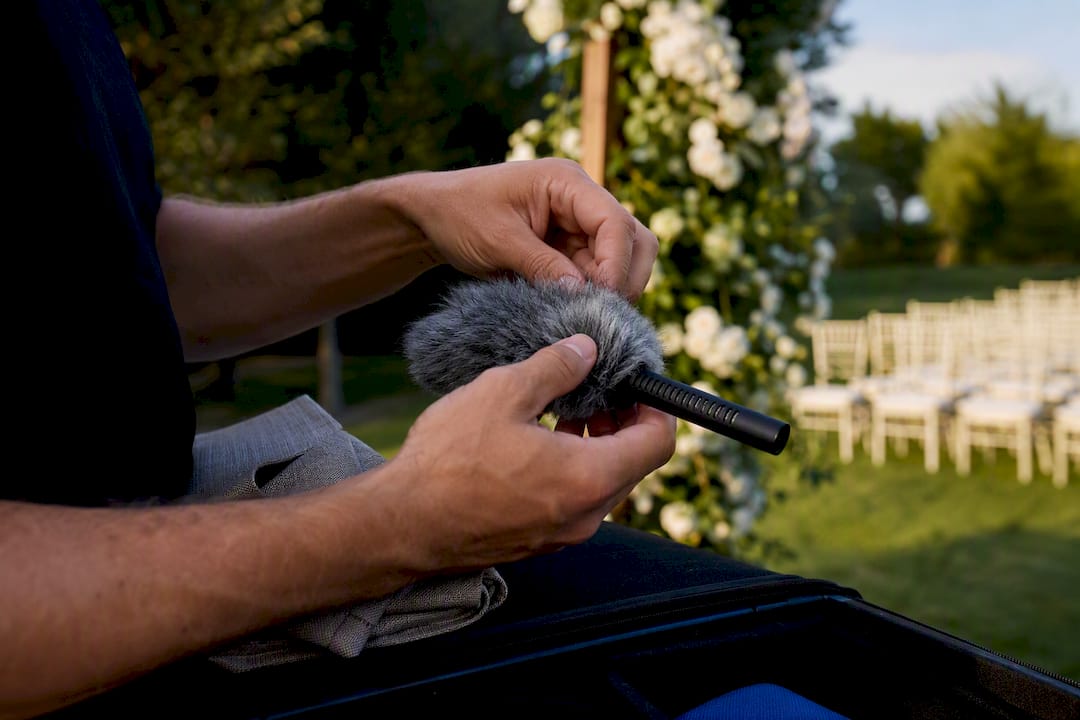
For mechanical hum, a quick walk of the ceremony space before guests arrive tells you if an HVAC unit or generator is running near the altar. Ask if it can be shut off for the fifteen minutes the ceremony runs. Guest chatter is harder to control live, but placing lavaliers close to the speaker's mouth naturally reduces how much ambient crowd noise gets picked up relative to the vows themselves. Politely asking guests to silence phones during the officiant's opening remarks solves the shutter click problem more reliably than any post-production fix ever will.
Matching Separate Audio And Video Without Guesswork
When your vows audio comes from a standalone recorder rather than straight into the camera, syncing it to footage in post is a completely solvable problem if you set up one small habit on the day.
Clap once, loudly, in frame at the start of each recording, or use a slate if you're running a multi-camera setup. That single spike gives editing software an unmistakable waveform to align against video. Most editing platforms include an auto-sync feature that matches audio waveforms automatically, and it works reliably as long as there's a clear, sharp sound event near the start of the clip.
Label every audio file with the same timestamp convention you used on camera, so you're not scrubbing through hours of footage trying to match a ceremony start time by guesswork. If you're running two cameras and one audio recorder, sync audio to the wider shot first, then use that synced timeline as your reference for cutting in the second camera. It's far faster than syncing each camera angle to audio independently.
Recording Vows Legally: What Couples And Videographers Should Know
Recording your own wedding ceremony is standard practice and rarely raises legal concerns, since everyone present typically knows filming and audio capture are happening as part of the service the couple hired. Where it gets more complicated is when a venue has its own rules, particularly religious venues that restrict where microphones, cables, or recording equipment can be placed during a service.
Always confirm recording permissions directly with the officiant and venue ahead of time rather than assuming a wedding automatically grants blanket recording rights. Some officiants prefer not to wear a lav for personal or denominational reasons, and that preference should be respected rather than argued with on the day. If a couple plans to share the ceremony publicly, on social media or in a public portfolio piece, it's worth a quick conversation confirming the officiant and any speaking guests are comfortable with that use. These situations rarely become disputes, but a short conversation ahead of time avoids any awkwardness after the fact.
Writing And Delivering Vows That Record Well
Couples can do a surprising amount to help their own audio simply by how they write and deliver their vows. Short, punchy sentences record more clearly than long, breathless ones, partly because speakers naturally project better when they're not racing to finish a run-on sentence before taking a breath.
Practice reading vows out loud at the volume you plan to use during the ceremony, not a whisper rehearsal at home the night before. A lavalier mic clipped correctly will pick up a normal speaking voice without trouble, but a nervous mumble under the breath is hard to rescue even with good gear. Facing your partner rather than turning toward guests keeps your mouth oriented toward the mic rather than away from it. If nerves are a concern, printing vows in a larger font on sturdy cardstock, rather than a phone screen, tends to produce steadier, more confident delivery, and steadier delivery is consistently easier to record cleanly than a rushed or shaky one.
What Actually Matters Once You Strip Away The Gear Talk
Most advice on this topic obsesses over microphone brands and skips the one habit that actually saves ceremonies: monitoring. A lavalier costing $300 does nothing for you if nobody puts on headphones and listens before the processional starts. The 15-second listen test catches more disasters than any single piece of gear you could buy.
The conventional wisdom also underrates redundancy as boring, back-of-the-checklist stuff. It isn't. A phone on voice memo tucked at the altar has saved more ceremonies than any shotgun mic ever will, precisely because it's independent of everything else that can fail.
If you take one thing from this guide, prioritize the backup path before you upgrade your primary mic. A mediocre lav with a solid backup recorder beats a premium lav with no fallback, every time the unexpected happens. And on a wedding day, something unexpected happens more often than anyone wants to admit.
— Todd
Let Larson Pro Photography Handle Your Ceremony Audio
Running your own audio checklist on your wedding day is one more thing to manage while you're trying to actually be present for your vows. A professional ceremony audio setup includes a redundancy system, lavaliers, backup recorder, monitoring, and wind protection, so the couple's only job is saying "I do" and meaning it.
The recommended setup sequence includes placing and testing microphones well before the processional, running a dedicated backup recorder independently of the camera, and someone wearing headphones during the ceremony to catch problems before they become permanent. Whether you're planning an intimate garden ceremony or a full church wedding with a house sound system to coordinate, the process stays the same. If you're ready to see how it fits your date, visit our clients page to check availability and get a quote for your ceremony coverage.
Where This Advice Comes From
The 32-bit float recording guide explains the format's recovery capability behind our settings advice. The shotgun versus lavalier FAQ informed our mic choice and placement guidance. The wedding audio checklist shaped our emergency backup recommendations.
Sources
- 32-bit float: Everything you need to know — Zoom
- Wedding videography audio FAQ: shotgun vs lavalier mics — Unique Photo
- Best voice recording apps — SoundGuys
- Wedding Audio Checklist: How to Get Clear Vows & Speeches (2026 Guide) — FocusVid