
Wedding photo delivery is the process of systematically organizing, securing, and sharing your edited wedding images with you and your guests in a professional and memorable way. Most couples receive several hundred high-resolution images through a branded, password-protected gallery kept live for 6–12 months. Knowing how to organize wedding photo delivery before your wedding day prevents lost files, missed deadlines, and the frustration of a disorganized handoff. Larsonprophotography builds every delivery around a structured workflow so your memories arrive safely, on time, and exactly as you expect.
How to organize wedding photo delivery: tools and preparation
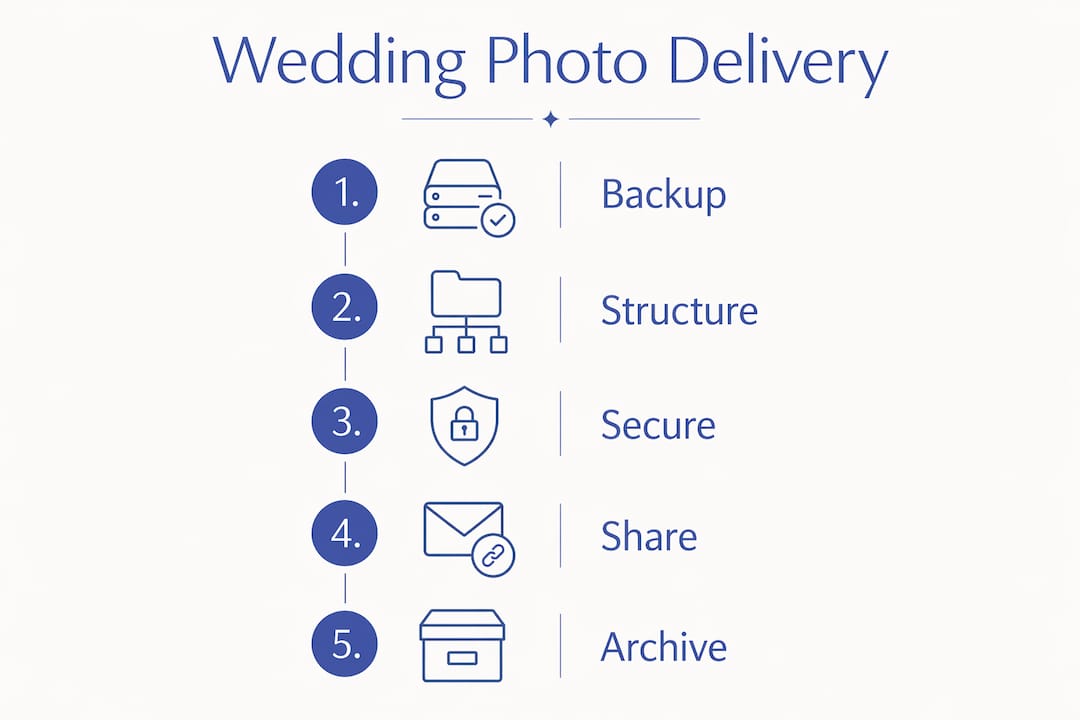
The right tools make the difference between a chaotic handoff and a polished delivery. Before a single image reaches you, your photographer needs dual storage drives, culling and editing software, and a dedicated delivery platform. Setting these up in advance cuts delivery time and protects your photos from the moment they are captured.

The industry standard for data protection is the 3-2-1 backup rule: keep 3 copies of your files, on 2 different media types, with 1 copy stored offsite. This rule applies to your photographer's workflow and to how you store your own downloads after delivery. A single hard drive failure has permanently erased wedding memories for couples who skipped this step.
File naming standards matter more than most couples realize. A consistent naming convention like YYYY-MM-DD_WeddingName_0001.jpg makes every image searchable and sortable for years after the wedding. Without it, a folder of 800 unnamed files becomes nearly impossible to navigate when you want to find a specific moment.
| Tool or feature | Purpose | Why it matters |
|---|---|---|
| Dual storage drives | On-site redundancy | Prevents loss if one drive fails during the event |
| Culling software | Selects best images | Reduces delivery volume to quality shots only |
| Delivery platform | Hosts and shares gallery | Provides secure, branded access for couples |
| Cloud backup | Offsite redundancy | Protects against physical damage or theft |
| File naming system | Organizes images | Supports long-term archiving and retrieval |
Pro Tip: Ask your photographer whether their delivery platform supports direct print ordering. Platforms that combine gallery viewing, album selection, and print ordering in one place save you from juggling multiple logins and services.
What is the best way to structure your wedding photos?
Organizing photos into folders by event chapter, such as Highlights, Getting Ready, Ceremony, Portraits, and Reception, creates a natural narrative flow. This structure mirrors the story of your day and makes it easy to find specific moments without scrolling through hundreds of images. A well-organized gallery also makes sharing with family members far less confusing.
Curation is more valuable than volume. Delivering 1,200 images when 600 strong ones tell the full story actually reduces client satisfaction. Couples who receive too many similar shots often feel overwhelmed and never finish reviewing their gallery. A tighter, well-edited set gets viewed more completely and appreciated more deeply.
Here is a proven sequence for organizing wedding images before uploading to your delivery platform:
- Complete the full cull and remove duplicates, test shots, and technically flawed images.
- Edit the selected images and export at full resolution as high-quality JPEGs.
- Sort exported files into named folders: Highlights, Getting Ready, Ceremony, Portraits, and Reception.
- Apply a consistent file naming convention to every image in every folder.
- Create a separate "Favorites" smart collection of 30–50 images for quick sharing and print-ready exports.
- Review the gallery sequence from start to finish to confirm the narrative flows logically.
- Upload to your delivery platform and set access permissions before sending the gallery link.
Pro Tip: Build a Favorites collection of your 30–50 strongest images before uploading. This collection becomes your go-to source for social media posts, thank-you cards, and album design without hunting through the full gallery.
The client-photographer collaboration around gallery structure works best when couples communicate their priorities before the wedding. If you want more portraits than reception candids, say so during your planning meetings. Your photographer can weight the cull accordingly.
What delivery methods work best for wedding photos?
The most effective delivery method is a dedicated client portal that integrates your gallery, album selection, invoices, and messaging in one place. This approach eliminates the confusion of scattered emails, separate download links, and multiple platforms. Couples who use a single portal report a cleaner, more satisfying experience from first preview to final print order.
Password-protected online galleries
Password-protected galleries are the current professional standard for wedding photo delivery. They give you secure access, a clean viewing experience, and download controls that prevent unauthorized sharing. Most professional galleries also support mobile viewing, which matters because many couples first share their photos from a phone.
AI-powered guest delivery and QR codes
AI face recognition lets guests scan a QR code, take a quick selfie, and receive only the photos they appear in. Match rates range from 55% to 80%, and the process completes in under 10 minutes. This technology turns passive guests into active participants in the photo experience.
QR code placement and labeling directly affect how many guests actually use the feature. Clear labels like "Scan to see photos of you" dramatically outperform unlabeled codes, which see scan rates below 15%. Place QR codes at the reception entrance, on tables, and near the bar for maximum visibility.
Comparing delivery methods
| Method | Best for | Limitation |
|---|---|---|
| Password-protected gallery | Couples and close family | Requires internet access |
| AI face recognition + QR code | Guest photo distribution | Match rate varies by photo quality |
| USB drive | Offline backup gift | Can be lost or damaged |
| Cloud share link | Quick sharing | No branding or print integration |
| Client portal | Full delivery experience | Requires platform setup |
Pro Tip: Brief your photographer to upload images in batches after key moments like the ceremony and first dance. Batch uploads during the event give guests near-real-time access and create genuine excitement before the night ends.
Follow-up emails sent within 24–48 hours after the event see the highest open rates. Send your gallery link with clear download instructions and a backup reminder in that window. Waiting longer reduces engagement and increases the chance couples forget to download their images.
What should you do after receiving your wedding photos?
Backing up your photos immediately after download is the single most important step couples skip. Save your photos in two separate physical locations as soon as you download them, such as an external hard drive and a cloud storage service like Google Photos or iCloud. Relying solely on your photographer's online gallery is a risk because galleries typically expire after 6–12 months.
Your photographer should provide a "read me" file alongside your gallery. This document covers how to download your full-resolution files, recommended backup methods, and print ordering instructions. If yours does not include one, ask for it directly.
Post-delivery best practices for couples include:
- Download your full-resolution files within the first week of gallery access.
- Save copies to at least two separate locations, one physical and one cloud-based.
- Share the gallery password only with trusted family members to maintain access control.
- Request a print-ready export of your Favorites collection for album design.
- Confirm with your photographer how long your gallery stays live and whether extensions are available.
- Keep a written record of your gallery URL and password in a secure location.
Long-term archiving is a shared responsibility. Photographers commonly retain RAW files for 2–5 years, but they are not obligated to store your images indefinitely. Your downloaded copies are your permanent archive. Treat them with the same care you would give to physical prints. The wedding day photo backup process deserves as much attention as any other part of your wedding planning.
Key Takeaways
Organized wedding photo delivery requires preparation, structured gallery folders, a secure delivery platform, and immediate client-side backups to protect your memories long-term.
| Point | Details |
|---|---|
| Use the 3-2-1 backup rule | Keep 3 copies on 2 media types with 1 offsite to prevent permanent image loss. |
| Organize by event chapter | Folders like Ceremony, Portraits, and Reception create narrative flow and easy retrieval. |
| Choose a client portal | A single platform for gallery, messaging, and prints reduces confusion and improves experience. |
| Back up immediately after download | Save photos to two separate locations within the first week of gallery access. |
| Send follow-up within 48 hours | Gallery links sent within 24–48 hours post-event see the highest open and download rates. |
Todd's take on delivery as part of the wedding experience
Most photographers treat delivery as the finish line. I think that is the wrong frame entirely. Delivery is the moment your clients actually receive what they paid for. Everything before it is preparation.
The biggest mistake I see is photographers who nail the shooting and editing but send a bare gallery link with no instructions. Couples open a folder of 700 images, feel lost, and never fully engage with their photos. A short email with three sentences of guidance changes that outcome completely.
Curation is where I push back hardest on the "more is more" instinct. Sending 900 images when 550 tell the full story does not feel generous. It feels like the photographer did not do the work of deciding what matters. A tighter gallery gets viewed, shared, and printed. A bloated one gets abandoned.
The technology side of delivery has moved fast. AI face recognition for guest photo distribution is genuinely impressive when set up correctly. The QR code placement and labeling matter as much as the technology itself. I have seen well-labeled codes at a reception entrance generate real excitement by 9:00 PM, with guests already texting their photos to family.
Client portals that combine gallery access, album design, and print ordering in one place are worth every dollar of the platform fee. They reduce back-and-forth emails, keep everything in one thread, and give couples a single place to return to for years. That kind of organized experience is what turns a satisfied client into someone who refers you to every engaged friend they know.
— Todd
Larsonprophotography's approach to wedding photo delivery
Larsonprophotography delivers every wedding gallery through a secure client portal that combines your photos, album selection, and direct communication in one place. Every gallery is password-protected, mobile-friendly, and backed by a professional archiving process built on the 3-2-1 rule.
Couples who book with Larsonprophotography receive a structured delivery timeline, a personalized follow-up email with download instructions, and ongoing support throughout the gallery access period. If you are planning a San Antonio wedding and want a photographer who treats delivery as seriously as the shoot itself, reach out to the Larsonprophotography team to review packages and get started.
FAQ
How long does wedding photo delivery typically take?
Most professional photographers deliver edited wedding galleries within 4–8 weeks of the wedding date. The timeline depends on the size of the wedding and the photographer's editing workload.
What is the best way to send wedding photos to guests?
AI-powered face recognition combined with QR codes is the most engaging method for guest photo distribution. Guests scan a code, take a selfie, and receive only the photos they appear in, with match rates between 55% and 80%.
How should couples back up their wedding photos after delivery?
Save your downloaded photos to at least two separate locations immediately, such as an external hard drive and a cloud service. Online galleries typically expire after 6–12 months, so your local copies are your permanent archive.
What folder structure works best for organizing wedding images?
Organizing images into folders labeled Highlights, Getting Ready, Ceremony, Portraits, and Reception creates a clear narrative flow. This structure makes it easy for couples and family members to find specific moments quickly.
How do I organize wedding photo delivery for guests at the event?
Brief your photographer to upload images in batches after key moments like the ceremony and first dance. Pair this with clearly labeled QR codes placed at the reception entrance and on tables for maximum guest engagement.