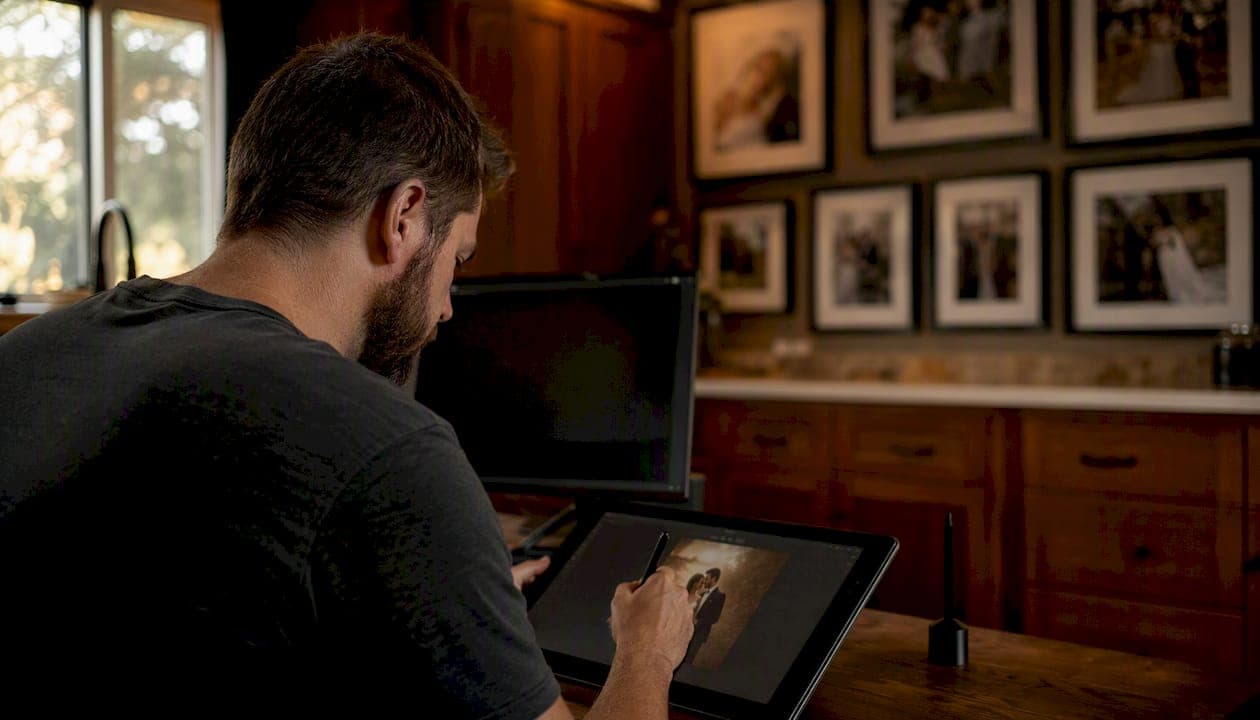
Photo retouching is the process of making targeted, localized changes to specific elements within an image, distinct from photo editing, which applies broad, global adjustments across the entire frame. If editing is about correcting the whole picture, retouching is about fixing or refining a particular detail within it.
The distinction matters practically. A photographer who adjusts white balance, exposure, and crop across a batch of 500 wedding images is editing. The same photographer who then removes a blemish from a bride's cheek, smooths a shadow under the groom's eyes, or cleans a smudge off a wedding ring is retouching. Same software, different intent, and different scope.
Common retouching tasks include:
- Blemish and spot removal on skin or product surfaces
- Skin texture work to even tone without erasing natural pores
- Object removal from backgrounds (a stray cup, a power line)
- Compositing, where elements from multiple exposures are merged into one final image
A quick before/after example most people recognize: a portrait where a temporary pimple is removed in post. The lighting, color, and composition stay identical. Only that one spot changes. That is retouching in its simplest form.
Key Takeaways
Photo retouching is localized, pixel-level work that refines specific image elements, and it is distinct from editing, which applies global adjustments across the whole frame.
| Point | Details |
|---|---|
| Retouching vs. editing | Retouching targets specific elements; editing adjusts the whole image for consistency and polish. |
| Workflow placement | Retouching follows global edits (RAW processing, color, crop) and precedes final export. |
| Core techniques | Frequency separation, dodge and burn, clone stamping, and compositing are the most-used professional methods. |
| Time and cost | Basic cleanup takes minutes per image; complex compositing or skin work can take hours per image. |
| Document the scope | Always specify retouching requests in writing to prevent scope creep and revision disputes. |
Table of Contents
- Defining photo retouching: the full picture
- How does retouching compare to photo editing?
- What are the core retouching techniques?
- Where does retouching fit in a post-production workflow?
- Which tools do professionals use for retouching?
- What does retouching cost, and how long does it take?
- What are the ethical boundaries in photo retouching?
- How a working wedding studio approaches retouching
- A note on retouching philosophy
- Sources
Defining photo retouching: the full picture
Retouching is focused, localized, and often manual at the pixel level. Where editing tools like exposure sliders and color curves affect the whole image simultaneously, retouching tools work on a selected area, a single layer, or even individual pixels. The intent is different too: editing corrects or enhances; retouching refines or alters specific content.
The scope varies by use-case:
- Portraits: skin smoothing, teeth whitening, eye brightening, flyaway hair cleanup, reducing under-eye shadows
- Product photography: dust removal, fingerprint cleanup, color consistency across product variants, background replacement
- Commercial work: body adjustments, compositing multiple exposures, replacing skies, removing props or crew reflections
Retouching generally follows global adjustments such as white balance, cropping, and color profile, and is performed to polish images for final presentation. It is the last layer of intentional change before a file is exported for delivery.
Retouching is not about making a subject look like someone else. It is about removing distractions so the viewer's eye goes where the photographer intended — to the expression, the detail, the moment.
How does retouching compare to photo editing?
The two overlap, which is why the confusion is so common. Here is a clean breakdown:
| Dimension | Photo editing | Photo retouching |
|---|---|---|
| Scope | Global or whole-image | Localized, element-specific |
| Typical tools | RAW sliders, curves, crop | Clone stamp, healing brush, layers |
| Time per image | Seconds to a few minutes | Minutes to several hours |
| Examples | Exposure fix, color grade, crop | Blemish removal, compositing |
| Typical use-cases | Batch processing, consistency | Portrait polish, product cleanup |
A few cases blur the line. Localized color correction using a mask, for example, sits somewhere between the two: it targets a specific area (retouching behavior) but adjusts a tonal attribute (editing behavior). Most professionals call it retouching when the mask is drawn around a specific subject element rather than a tonal range.
When requesting work from a studio, use precise language to avoid scope creep:
- Say "remove the blemish on her left cheek" rather than "clean up the skin."
- Say "remove the dust spots on the product" rather than "make it look cleaner."
- Specify the number of images that need retouching, not just the total delivered count.
Many studios treat editing as standard and included in every package, while retouching is scoped and billed separately as an optional, explicit add-on.
What are the core retouching techniques?
Knowing the technique names helps when reviewing quotes or evaluating sample work.
- Spot healing and clone stamping: The fastest tools for removing small blemishes, dust, or stray objects. The healing brush samples surrounding texture; the clone stamp copies pixels from a source area you select. Both work best on simple backgrounds.
- Frequency separation: Splits the image into two layers — one for texture (pores, fabric grain) and one for tone (color, shadow). Retouchers smooth the tone layer without touching the texture layer, producing natural-looking skin that still has visible pores.
- Dodge and burn: Lightening (dodging) or darkening (burning) specific areas to sculpt dimension. A retoucher might dodge the bridge of a nose to add definition or burn the edges of a product shot to draw focus to the center.
- Liquify and shape adjustments: Warps or reshapes elements within the frame. Used carefully for minor posture corrections; used carelessly, it crosses into misrepresentation.
- Teeth whitening and eye brightening: Targeted desaturation and luminosity adjustments on specific features. Subtle when done well; obvious when overdone.
- Background cleanup: Removing distracting elements, evening out gradients, or replacing backgrounds entirely for product shots.
- Compositing: Merging multiple exposures or source images into one. Common in wedding photography for group shots where no single frame has everyone's eyes open.
Pro Tip: When smoothing skin, work on the tone layer in frequency separation rather than blurring the full image. You preserve the pore structure that makes skin look real, and the result holds up at full resolution.
Where does retouching fit in a post-production workflow?
Understanding the sequence prevents costly rework. Here is the standard order in a professional pipeline:
- Cull: Review all raw files and select the keepers. Reject duplicates, closed eyes, and technical failures.
- Global edits (RAW processing): Apply white balance, exposure, lens corrections, and color profiles across the selected images. Adobe Lightroom Classic handles this stage efficiently, especially for batch processing large wedding galleries.
- Retouching: Open priority images in Adobe Photoshop for pixel-level work. This is where blemish removal, frequency separation, compositing, and any structural changes happen.
- Color grading and final export: Apply a consistent stylistic grade, export in the required format (JPEG for web, TIFF for print), and deliver.
Work in non-destructive formats throughout. Use layers and smart objects in Photoshop; keep PSD or TIFF masters before flattening. Once pixels are merged and the file is saved as a JPEG, that work is gone.
Pro Tip: Before sending images to a retoucher, write a one-paragraph brief that specifies: which images need retouching, what tasks are requested, the preferred finish (natural vs. polished), and any features that should not be altered. A clear brief cuts revision rounds in half.
Which tools do professionals use for retouching?
Three applications dominate professional retouching workflows, each with a distinct role:
- Adobe Photoshop: The industry standard for pixel-level retouching. Non-destructive layers, precise selection tools, and an extensive plugin ecosystem make it the go-to for any work that requires manual control at the pixel level.
- Adobe Lightroom Classic: Handles global RAW adjustments and batch processing. Its masking tools allow basic local corrections, but it is not built for the kind of pixel-level work Photoshop handles.
- Capture One: Favored in studio and product photography for its tethering capabilities and color fidelity. Studios shooting products or fashion often run Capture One for the initial RAW workflow before moving files into Photoshop for retouching.
AI-assisted tools are changing the entry-level end of this work. Platforms like Imagen AI can automate culling, basic exposure corrections, and routine skin cleanup at speed. For a wedding photographer delivering 800 images, AI-assisted editing on the global pass can save time. The ceiling appears quickly, though: complex compositing, high-end skin retouching, and any work where texture preservation matters still requires manual skill.
Pro Tip: For portrait work, the standard pipeline is Lightroom Classic for the global pass, then Photoshop for retouching priority images. For product photography, many studios start in Capture One for color accuracy, then move to Photoshop for cleanup and compositing.
What does retouching cost, and how long does it take?
Time and price scale with complexity. Here is a practical breakdown:
Basic retouching (blemish removal, minor cleanup, simple background fixes) takes a few minutes per image. For a single portrait, this might mean removing two or three spots and brightening the eyes slightly.
Extensive retouching (frequency separation on skin, compositing, body reshaping, complex background replacement) can run one to several hours per image for high-end commercial work.
Factors that push costs higher:
- Resolution: Larger files require more precise work and longer processing times.
- Turnaround time: Rush delivery typically carries a premium.
- Number of subjects: A group portrait with six people requires six times the skin work of a solo shot.
- Revision rounds: Each round of client feedback adds time; unlimited revisions is a scope trap.
- Background complexity: A product shot on a gradient white background is faster to clean than one with a detailed environmental setting.
AI-powered tools speed up routine retouching tasks, but complex, high-end retouching still requires manual skill for natural, high-quality results. That gap is where professional retouchers earn their rate.
What are the ethical boundaries in photo retouching?
The ethical line sits between cleanup and misrepresentation. Removing a temporary blemish is cleanup. Altering a subject's body shape without consent, or retouching a product to look materially different from what ships to a customer, crosses into misrepresentation.
Practical guidance for photographers and clients:
- Document what is requested. A written retouching scope in the contract prevents disputes about what was agreed.
- Show before/after comparisons for any significant structural changes before delivering finals.
- Disclose edits that materially alter a subject. In editorial contexts, this is often required; in advertising, it is increasingly regulated.
- For product photography, ecommerce retouching should standardize appearance without misleading buyers. Removing dust is fine; making a product appear a different size or color is not.
- Set a natural-results standard in writing. Phrases like "light retouching only" are vague. Specify: "remove temporary blemishes; do not alter body shape or facial structure."
Pro Tip: Build a one-page retouching checklist that covers brand guidelines, approved techniques, and client sign-off requirements. Run every project through it before delivery. It takes ten minutes and eliminates the most common source of client complaints.
For a deeper look at how ethical considerations apply specifically to wedding images, the wedding photography ethics guide from Larsonprophotography covers disclosure and consent in detail.
How a working wedding studio approaches retouching
At Larsonprophotography, retouching is treated as a deliberate, scoped service rather than a catch-all pass applied to every image. Here is how a typical wedding project moves through post-production:
- Cull and select: From a full wedding day, a curated gallery of the strongest images is prepared. Not every frame gets retouching; the best ones do.
- Global edit pass: All selected images receive consistent color, exposure, and white balance treatment in Lightroom Classic.
- Priority retouching: Couples identify hero images, typically ceremony moments, portraits, and detail shots, that receive individual attention in Photoshop.
- Client review: Before album design, clients review retouched selects and flag any additional requests.
- Final delivery: Retouched files are exported at full resolution for print and web-optimized versions for digital sharing.
The studio's decision criteria for retouching intensity:
- Light retouching for candid moments: remove obvious distractions (a stray hair across the face, a visible tag) without altering the natural feel of the moment.
- Standard retouching for formal portraits: skin cleanup, eye brightening, minor posture refinement.
- Intensive retouching only on request and with explicit client approval: compositing, significant background changes, structural adjustments.
The goal is always a gallery that looks like the couple, on their best day, in the best light — not a gallery that looks like a magazine cover that happens to feature their faces.
For more on why professional retouching matters for wedding galleries, Larsonprophotography's blog covers the full reasoning behind these choices.
A note on retouching philosophy
Every image I deliver should look like it was taken, not manufactured. Retouching serves the photograph; it does not replace it. My approach is to remove what distracts and preserve what makes the moment real. A laugh line, a freckle, the way light catches an imperfect surface — those details are often what make an image feel alive. When couples ask about retouching options, I walk them through exactly what will and will not change, so there are no surprises at delivery. If you want to understand what retouching is included in your package or request specific work, the client resources page is the right place to start.
Sources
The sources below support the technical claims and workflow guidance throughout this article: