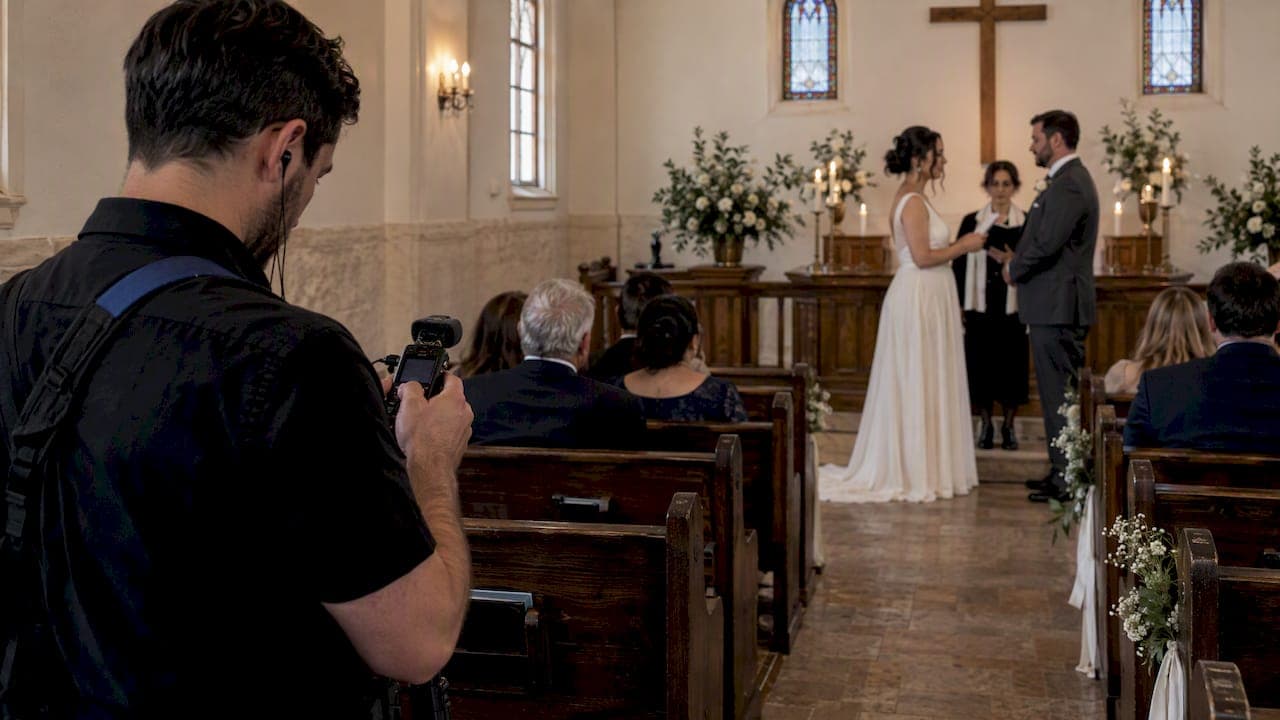
For reliably clear vow audio, record one close source, a lavalier or a direct board feed, plus one independent backup running at the same time, and make a private vows recording beforehand as a keepsake. Label every file and store it with your ceremony footage. Tell your officiant, venue contact, and videographer about this plan well before the wedding day.
TL;DR:
- Before guests arrive, confirm in writing who wears each microphone, who monitors levels, and who can replace batteries or media during the ceremony.
- Ask the venue whether its soundboard feed includes both the couple’s and officiant’s microphones, then test routing; if unavailable, use an altar recorder and lavaliers.
- Place lavaliers near the mouth but away from fabric and jewelry; outdoors, add a furry windscreen and angle the microphone away from direct wind.
- Record private vows in a quiet room, leave pauses between takes, save as WAV when possible, and store the labeled file with the ceremony masters.
- After the ceremony, copy every original to at least two locations, leave master files untouched, and tell the editor which track is primary.
Table of Contents
- Your 30-minute day-of audio checklist
- Choosing the right microphone for your ceremony
- Where to place mics for the clearest sound
- Recording a private vows keepsake before the big day
- Building in backup so nothing gets lost
- Getting a direct feed from your venue or officiant
- Handing off clean audio to your editor
- What actually goes wrong on wedding day and how to fix it fast
- What most vow-audio advice gets wrong
- Let us handle your vow audio for you
- FAQ
- Sources
Your 30-minute day-of audio checklist
Thirty minutes before the ceremony, run through a short list so nothing gets missed once guests start arriving.
- Confirm who is wearing a microphone and who is responsible for watching audio levels during the ceremony.
- Check that batteries are fresh, spare SD cards are on hand, and every recorder or pack is labeled with the wearer's name.
- Do a quick soundcheck: have the couple speak at normal vow volume from the exact spot where they will stand.
- Look for visible mic packs or cables and make sure clothing, boutonnieres, or necklaces won't rub against a lav.
- Assign one person, often a planner or a groomsman, to watch for problems and swap batteries if a light blinks red.
Pro Tip: Do the soundcheck in the actual ceremony spot, not backstage. Rooms and outdoor spaces change how voices carry.
Choosing the right microphone for your ceremony
Different ceremony setups call for different microphones, and most couples benefit from combining two or three of these rather than relying on just one.
- Lavalier mics clip onto clothing and sit close to the mouth, giving the most isolated, intimate sound for vows, though they need careful concealment so fabric and jewelry don't brush against the capsule.
- Soundboard or direct feed from the venue's audio system is often the cleanest option when available, since it pulls straight from the officiant's and couple's microphones rather than relying on open air. The direct feed approach works best when you ask ahead of time what inputs are included.
- Shotgun or boom mics work well as a secondary track in small or quiet venues, and a camera-mounted shotgun can serve as a last resort when no other option is practical.
- Room or ambient mics pick up laughter, gasps, and guest reactions, giving your editor more material to work with during the final cut.
- Pocket recorders like a Zoom or Tascam unit are inexpensive backups that can sit near the altar or in an officiant's pocket.
- A high-end lavalier only performs as well as what it's plugged into. Premium lavs reveal weak links in a cheap wireless transmitter or recorder, so match your mic quality to the rest of your signal chain.
Where to place mics for the clearest sound
Placement affects intelligibility as much as the microphone itself.
- Clip the groom's lav to the lapel or inner jacket, close enough to pick up his voice without catching fabric noise.
- For brides, a dress strap, bodice seam, or hidden placement near the hairline works well when a lapel isn't available.
- Position the officiant's and altar mics so they stay fixed even if the couple shifts slightly during vows.
- Place room mics at some distance behind the front row to catch reactions without picking up excessive rustling or chatter.
- Outdoors, use a furry windscreen and angle the mic to reduce wind noise hitting the capsule directly.
For vocal pickup generally, keeping a mic at a moderate distance from the mouth and angled slightly off-axis helps cut down on plosives and popping sounds where that distance is practical to maintain.
Pro Tip: Right before the processional, gently tug on each mic cable and pack to confirm nothing has worked loose during dress or suit adjustments.
Recording a private vows keepsake before the big day
A private recording captures something the live ceremony often can't: unhurried, deliberate words spoken without an audience. Couples frequently record these the morning of the wedding or weeks ahead, and many save them specifically for anniversaries rather than sharing them with guests. Recording private vows separately in a quiet room produces an intimate file that complements, rather than replaces, your ceremony audio.
- Use a phone paired with an external lav, a handheld recorder like a Zoom or Tascam, or a simple USB microphone in a quiet space.
- Record a few takes and let yourself pause naturally rather than rushing through a script.
- Save files as WAV when possible, since the format preserves more detail than compressed audio.
- Label the private recording clearly and store it in the same folder as your ceremony files so nothing gets separated later.
Building in backup so nothing gets lost
A single point of failure is the most common reason couples lose their vow audio, so redundancy matters more than any single piece of gear.
- Always run at least two independent audio sources at once, such as a lavalier paired with a board feed, or a lav paired with a pocket recorder.
- Pack spares: extra batteries, additional SD cards, a backup windscreen, and adapter cables for unexpected connector types.
- Assign one person to check levels partway through the ceremony and swap batteries or media if a device is running low.
- Copy every original file to at least two locations immediately after the ceremony, before anything gets deleted or overwritten.
Capturing at least two independent sources is standard advice among wedding videographers precisely because ambient noise and technical glitches are common during live ceremonies.
Getting a direct feed from your venue or officiant
Many venues run their own sound system for the ceremony, and tapping into it often produces the cleanest audio available.
- Ask your venue's AV contact directly: "Can we get a line-out or recording feed from the soundboard, and does it include the couple's lavs as well as the officiant's mic?"
- During soundcheck, confirm levels, do a quick headphone check, and verify that the feed is actually routing the inputs you expect.
- If a feed isn't possible, fall back to an altar-mounted recorder plus individual lavs on the couple and officiant.
- Coordinate placement and timing politely with venue staff and the officiant well before guests arrive, since last-minute requests rarely go smoothly.
Handing off clean audio to your editor
Once the ceremony is over, how you organize and deliver files matters as much as how you recorded them.
- Timecode-capable recorders sync automatically with video, while simpler setups rely on a visual cue like a camera flash or a clap, with software such as PluralEyes handling alignment afterward.
- Name files clearly, something like date_role_primary.wav, and keep original recordings untouched as your master copies.
- Organize a cloud folder with a short README noting which track is primary, which are backups, and where timestamps fall relative to the ceremony.
- Tell your editor directly which track to treat as primary and which to use only if the main source drops out.
These simple sync workflows save editors significant guesswork when assembling the final ceremony track.
What actually goes wrong on wedding day and how to fix it fast
Most audio problems we run into come down to the same handful of issues: a mic pack that slipped under a jacket, a dead battery nobody caught in time, or wind noise overwhelming an outdoor lav. Our fifteen-minute pre-vow routine includes a fresh windscreen swap, a quick piece of tape to secure a loose pack, and a backup plan to switch to the room mic if a lav fails mid-ceremony. We label every file by role and hand off a clearly organized folder so nothing gets lost between the ceremony and the edit. For a printable version of this process, our 30-minute vows audio checklist walks through the same steps we use on-site.

What most vow-audio advice gets wrong
Most guides treat vow audio as a gear problem: buy the right lav, pick the right recorder, done. The bigger risk is almost always coordination, not equipment. A couple with mid-range mics and a clear plan with their officiant and videographer will usually out-record a couple with premium gear and no communication. The private keepsake recording gets treated as an afterthought in most advice, yet it's often the version couples replay years later, since it captures words spoken without an audience watching. If you only have time to do one thing well, skip the gear research and spend that time confirming, in writing, who is miking whom and who owns the backup recorder. Redundancy matters more than resolution. A second, slightly lower-quality track that actually captures the moment beats a single pristine recording that cuts out halfway through.
— Todd
Let us handle your vow audio for you
Planning microphones, backups, and private recordings on top of everything else a wedding requires is a lot to carry alone. Our videography packages build in microphone planning and redundant audio capture as part of the coverage, so you're not troubleshooting gear the morning of your ceremony.
When you reach out, mention that you want ceremony masters, a private vows recording included, and clearly labeled audio files delivered with your final footage. We'll plan the mic setup around your venue and officiant ahead of time. Reach out through our wedding services page to check availability for your date.
FAQ
What's the minimum setup for clear vow audio?
A close source, either a lavalier mic or a direct board feed, paired with one independent backup like a pocket recorder, covers most ceremonies reliably. Running two sources at once protects you if one fails or picks up unexpected noise.
How do I ask a venue for a soundboard feed?
Contact the venue's AV staff ahead of time and ask specifically whether a line-out or recording feed is available and which microphones it includes. A direct feed from the board is often the cleanest ceremony audio when the venue supports it.
Should we record our vows privately before the wedding?
Yes, a private recording made in a quiet space beforehand captures a calmer, more deliberate version of your vows that many couples treasure separately from the ceremony footage. Recording private vows ahead of time also gives you a backup if live audio has issues.
What file format should vow audio be saved in?
WAV is generally preferred for ceremony and private vow recordings because it preserves more detail than compressed formats. Keep original files untouched and make copies for editing or sharing.
How do outdoor ceremonies affect vow audio?
Wind is the biggest challenge outdoors, so a furry windscreen and careful mic angling help reduce noise hitting the capsule. If you're also planning aerial footage, check drone noise and placement guidelines early so flight timing doesn't interfere with your ceremony audio.
Sources
- How to Record Your Wedding Vows as a Keepsake
- DPA 4061 CORE+ review: Insurance for serious dialogue work - Videomaker
- Microphone Techniques for Recording (English) - Shure